Transmission Media
Packet Switched vs. Circuit Switched Networks
Integrated Services Digital Network (ISDN): A technology that can carry voice, data, and/or video across digital circuits in the Public Switched Telephone Network (PSTN).
| Circuit Switched | Packet Switched |
|---|---|
| A circuit (or a “call”) is set up before transmitting | A connection is “always-on” |
| Voice, data, and/or video is sent over the circuit | Voice, data, and/or video is encapsulated in packets and sent through a network |
| Examples includes, Telephone calls, ISDN | Examples include: Cable modems, Wireless networks, LANs |
| Dedicated bandwidth | Shared bandwidth |
Wireless Networking
Wireless Standards
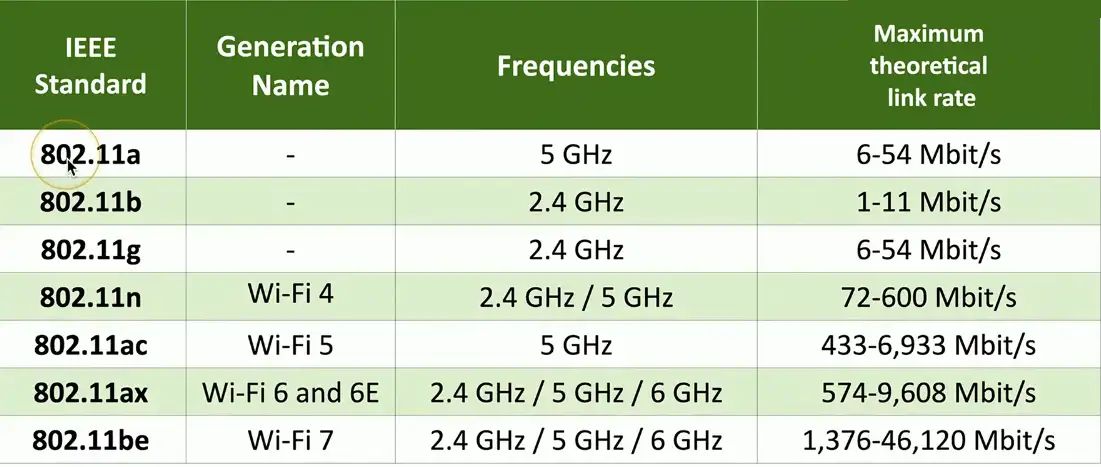
Wireless networking (802.11)
- Managed by the IEEE LAN/MAN Standards Committee (IEEE 802)
- Institute of Electrical and Electronics Engineers
Many updates over time
- Check with IEEE for the latest
The Wi-Fi trademark
- Wi-Fi Alliance handles interoperability testing
Modern standards have a more marketable name
- For example, 802.11ax is Wi-Fi 6
Cellular Technologies (1G, 2G, 3G)
- 1G: Delivered analog voice
- 2G: Introduced digital voice and added support for data using GSM (Global System for Mobile Communication) and CDMA (Code Division Multiple Access)
- 2.5G: Added packet switching with GPRS (General Packet Radio Service)
- 2.7G (EDGE): Increased data rates with EDGE (Enhanced Data Rates for GSM Evolution)
- 3G: Increased data rates using standards including UMTS (Universal Mobile Telecommunications System) and CDMA2000
4G and LTE
4G
- Required a cellular network to support at least a 100 Mbps download speed to qualify as 4G
Fourth Generation Long Term Evolution (4G LTE)
- A cellular service offered by networks that were somewhat slower that 4G requirements, where LTE implied the network was evolving to higher speeds, and operated in a wide range of speeds: 20 Mbps – 100 Mbps
- A “4G” technology
- converged standard (GSM and CDMA providers)
- Based on GSM and EDGE (Enhanced Data Rated for GSM Evolution)
- Standard supports download rates of 150 Mbit/s
LTE Advanced (LTE-A)
- Standard supports download rates of 300 Mbit/s
5G
Fifth generation cellular networking
- Launched worldwide in 2020
- Offers much higher speed, very low latency and comes in two flavors: mmWave (max speed around 5 Gbps) and Sub-6GHz (max speed between 4G and mmWave speeds)
Significant performance improvements
- At higher frequencies
- Eventually 10 gigabits per second
- Slower speeds from 100-900 Mbit/s
Significant IoT impact
- Bandwidth becomes less of a constraint
- Larger data transfers
- Faster monitoring and notification
- Additional cloud processing
Frame Relay
- Popular in the 1990s
- It is a standardized, cos-effective packet-switching protocol used to connect LANs and transmit data across WANs.
- Operates at Layer 2
- It breaks data into variable sized units called frames and transmits them over shared virtual circuits
- Key features
- Packet Switching
- Efficiency
- Bandwidth sharing
- Currently, it has been replaced by newer technologies such MPLS, Ethernet over Fiber, and DSL, cable modems.
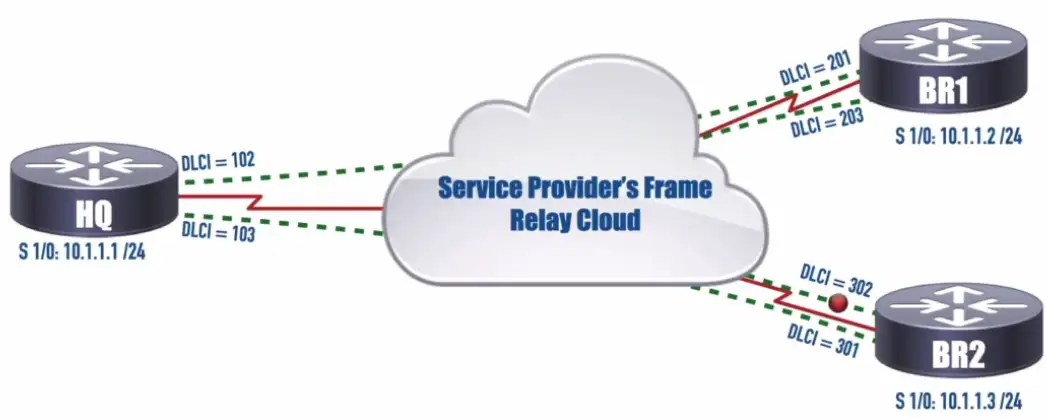
Data Link Connection identifier (DLCI): identifies a virtual circuit that interconnects two devices on a Frame Relay Network.
Asynchronous Transfer Mode (ATM)
- Somewhat legacy WAN technology
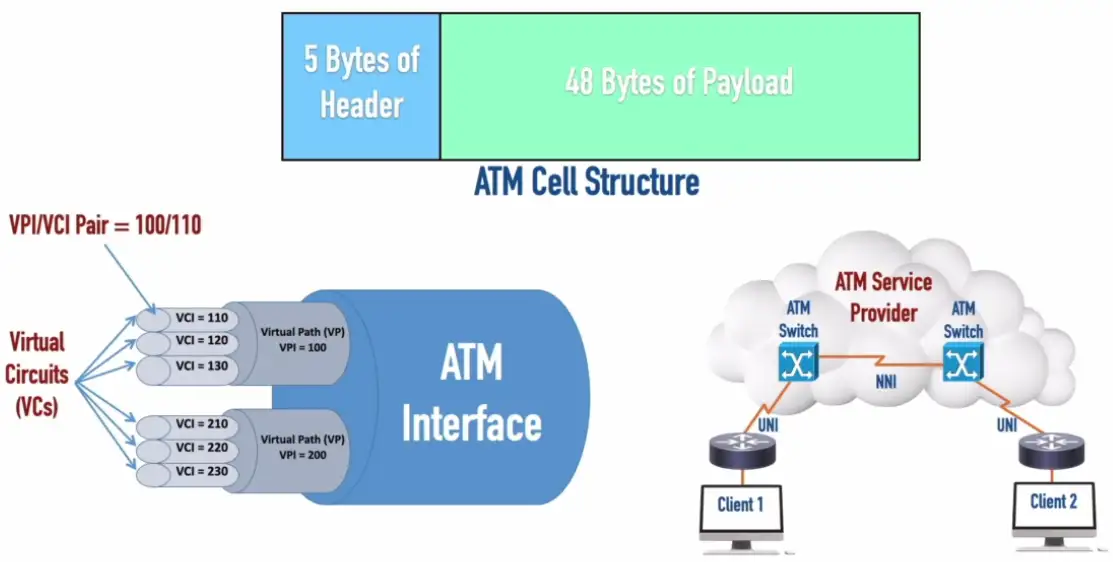
- ATM uses cell of a fixed length 53 bytes
VPI (Virtual Path Identifier)/VCI (Virtual Circuit Identifier): Uniquely identifies a virtual connection that ATM uses to transport its cells.
UNI (User to Network Interface): Interconnects a user’s device (e.g., a router) with an ATM network.
NNI (Network to Network Interface) Interconnects ATM networks
Satellite Networking
Very Small Aperture Terminal (VSAT): A WAN technology that uses small satellite dishes connected to a network and supports two-way communication via a satellite.
Communication to a satellite
- Non-terrestrial communication
- Two way satellite communication
- Satellite dish is less than 3 meters in diameter
- Data experiences more delay
- Sensitive to weather conditions
High cost relative to terrestrial networking
- 12 Mbps to 100 Mbit/s down, 5 Mbit/s up are common
- Remote sites, difficult-to-network sites
Relatively high latency
- 250 ms up, 250 ms down
- Starlink advertises 40 ms and is working on 20 ms
High frequencies — 2 GHz
- Line of sight, rain fade
Ethernet Standards
Ethernet
The most popular networking technology in the world
- Standard, common, nearly universal
Many types of Ethernet
- Speeds, cabling, connectors, equipment
Modern Ethernet uses twisted pair copper or fiber
- The standard defines the media
IEEE Ethernet Standards
The IEEE 802.3 committee
- Institute of Electrical and Electronics Engineers
- All types of standards of Ethernet
- Copper and fiber
| IEEE Standard | Description | Media | Network Speed |
|---|---|---|---|
| 1000BASE-T | Gigabit Ethernet | Copper | 1 gigabit per second |
| 10GBASE-T | 10 Gigabit Ethernet | Copper | 10 gigabits per second |
| 1000BASE-SX | Gigabit Ethernet | Fiber | 1 gigabit per second |
Deciphering the Standard
Speed signal, and media
- All contained in the standard name, i.e., 1000BASE-T
The number is related to the network speed
- 1000 is commonly 1,000 megabits per second (or one gigabit/sec)
- 10G would be 10 gigabits per second
BASE (baseband)
- Single frequency using the entire medium
- Broadband uses many frequencies, sharing the medium
Media type
- T is twisted pair copper, F is fiber
- SX would be short wavelength light
Optical Fiber Cables
Fiber Communication
Transmission by light
- The visible spectrum
No RF signal
- Very difficult to monitor or tap
Signal slow to degrade
- Transmission over long distances
Immune to radio interference
- There’s no RF
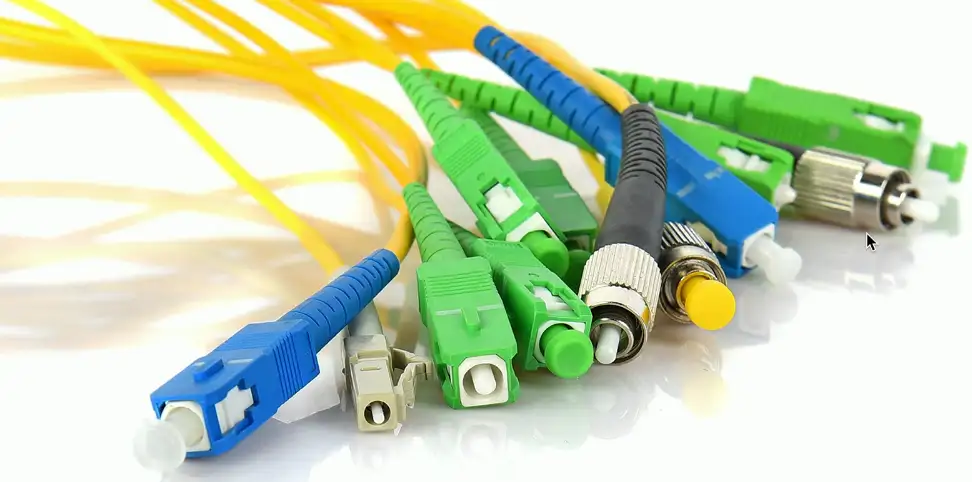
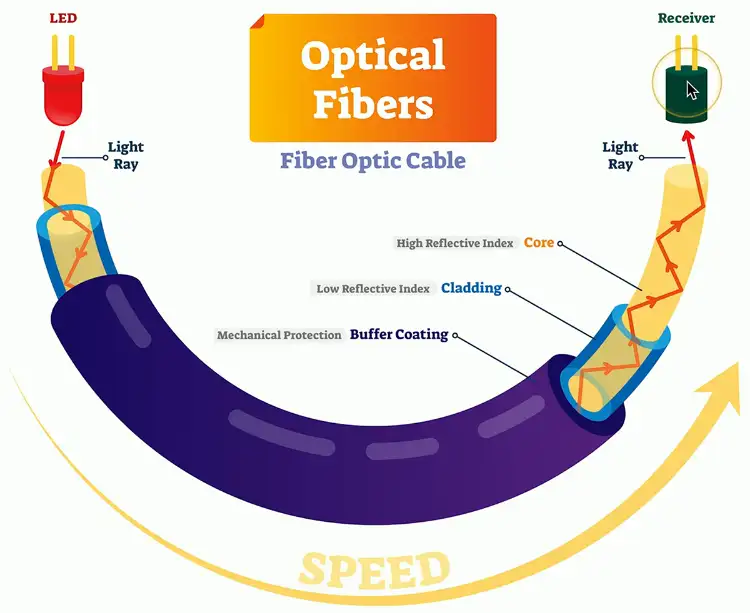
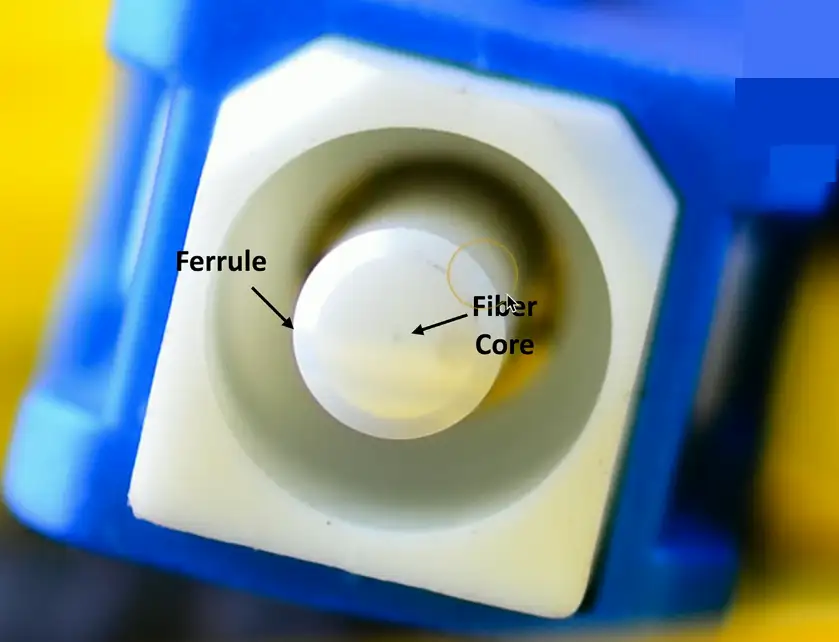
Multimode fiber
Short-range communication
- Up to 2 km
Inexpensive light source
- i.e., LED
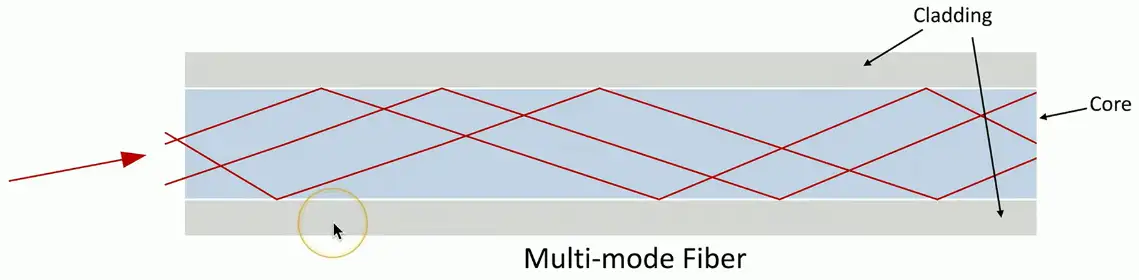
Multimode Delay Distortion: Data corruption resulting from bits using one path of light (i.e., a mode) passing up other bits using a different path of light (i.e., a different mode).
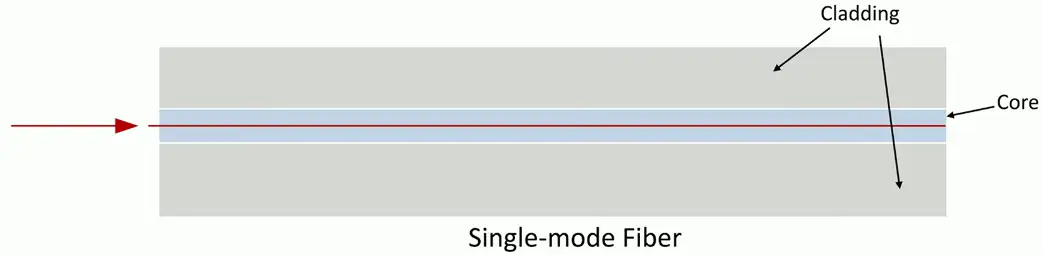
Single-mode Fiber
Long-range communication
- Up to 100 km without processing
Expensive light source
- Laser beams
Copper Cabling
Hybrid Fiber-Coax (HFC) Distribution Network: A cable company’s infrastructure including both fiber and coax.
Data-Over Cable Service Interface Specification (DOCSIS): A set of standards specifying the use of different frequency ranges in a cable television network.
The importance of cable
Fundamental to network communication
- Incredibly important foundation
Usually only get one good opportunity at building your cabling infrastructure
- Make it good!
The vast majority of wireless communication uses cables
- Everything eventually touches a cable
Electromagnetic Interference (EMI): Occurs when radio waves are picked up by or radiated by a cable carrying another signal, resulting in signal degradation.
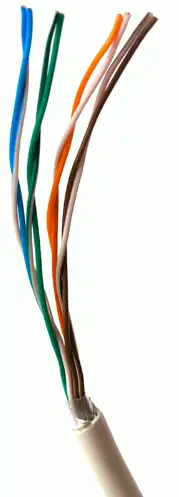
Twisted pair copper cabling
Balanced pair operation
- Two wires with equal and opposite signals
- Transmit+, Transmit-/Receive+, Receive-
The twist is the secret!
- Keep single wire constantly moving away from the interference
- The opposite signals are compared on the other end
Pairs in the same cable have different twist rates
Cable Speeds
Cables don’t have a speed
- The copper just sits there
Electrical signals are sent over copper cable
- The signal encoding determines the data transfer rate
A cable must be manufactured to specific standards
- IEEE 802.3 Ethernet standards determine the cable type
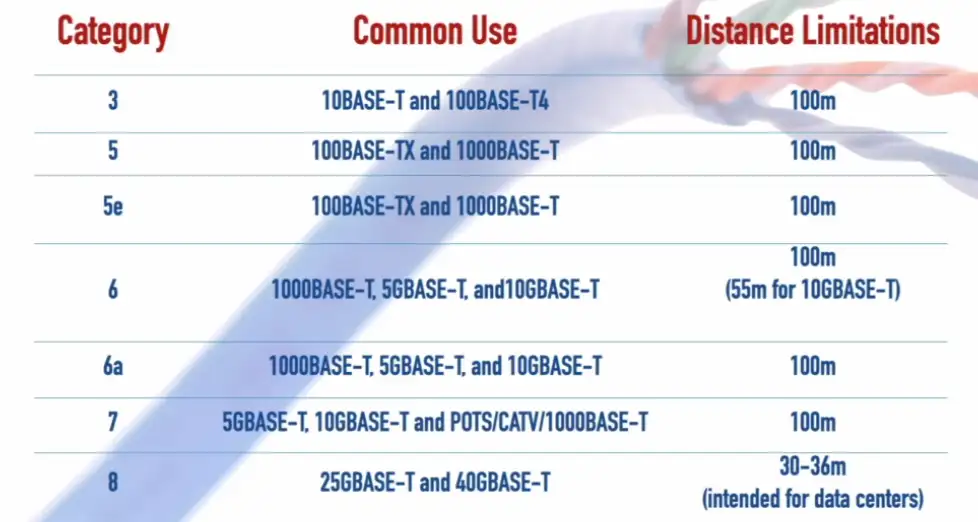
Cable standards are described as a “category” of cable
- Category 6, Category 7, etc.
- Check the IEEE standard to determine the minimum cable category
- The minimum cable category for 1000BASE-T is Category 5
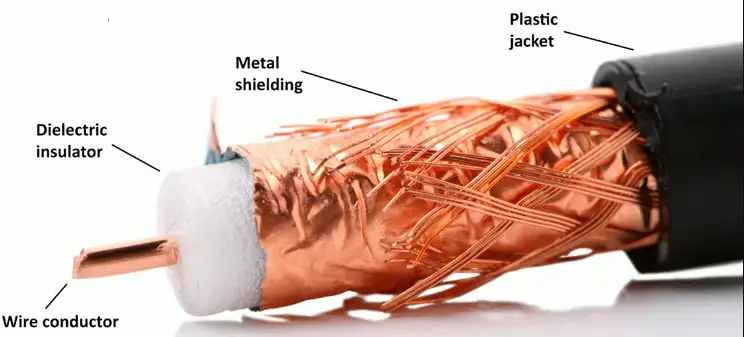
Coaxial Cables
Two or more forms share a common axis
RG-6 used in television/digital cable
- And high speed Internet over cable
- Measured by impedance
Impedance: A circuit’s opposition to traffic flow (measured in Ohms), which can have resistive, capacitive, and/or inductive components.
Twinaxial Cable
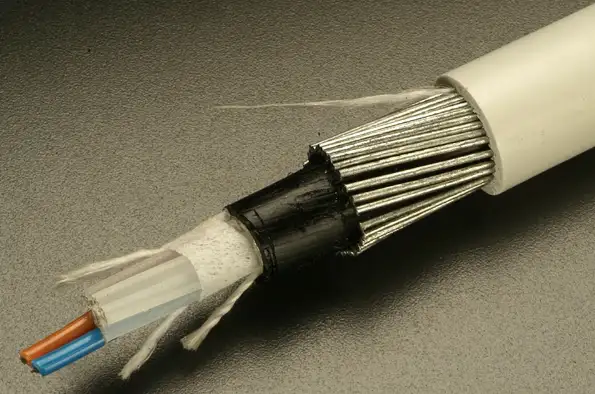
Two inner conductors
- Twinax
- Most commonly used in Data Centers
- 40 Gbps or 100 Gbps
- 7 meters
Common on 10 Gigabit Ethernet SFP+ cables
- Full duplex
- Five meters
- Low cost
- Low latency compared to twisted pair
Plenum space
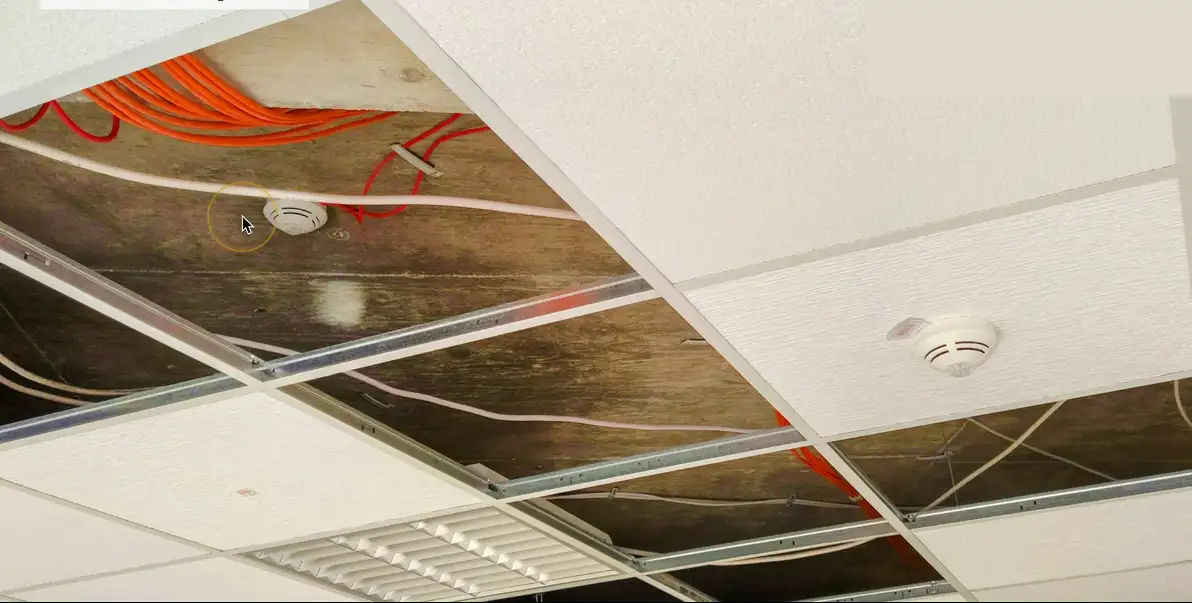
No Plenum
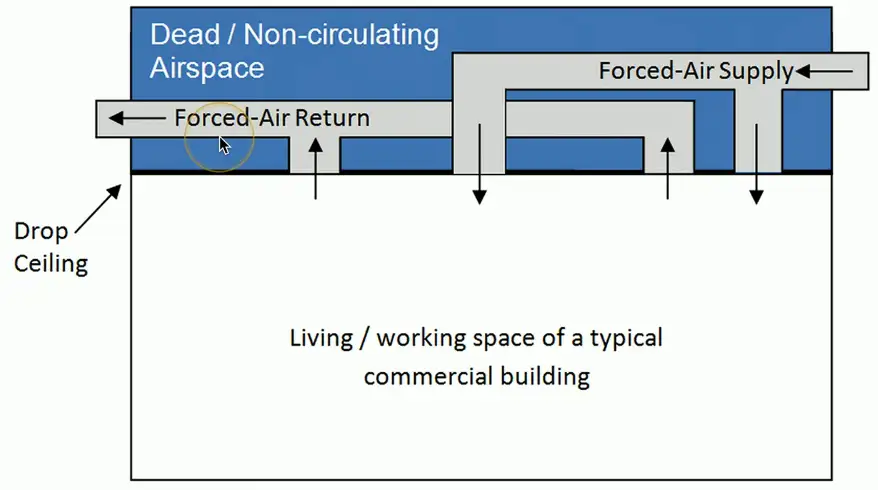
Plenum
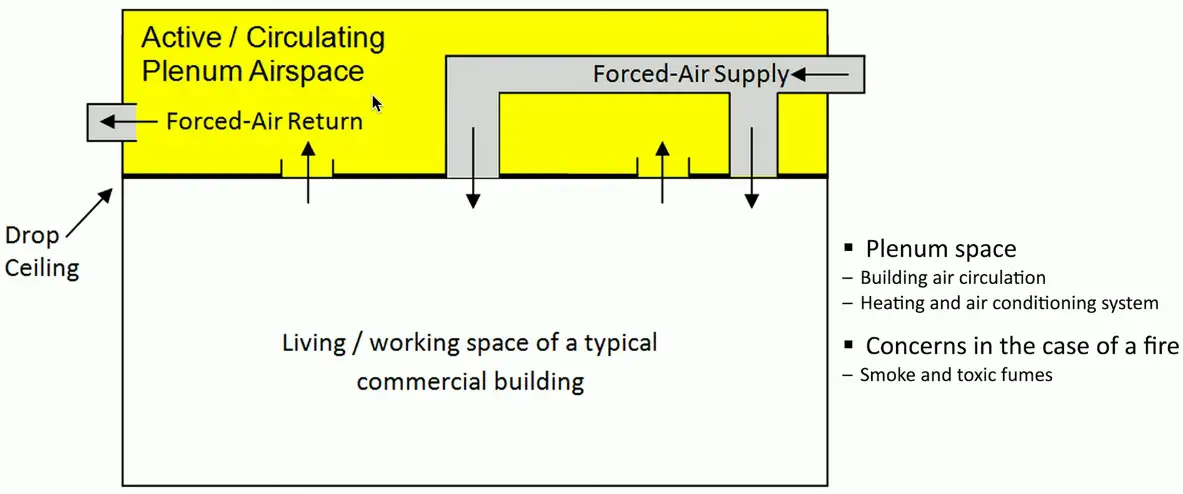
Plenum-rated Cable
Traditional cable jacket
- Polyvinyl chloride (PVC)
Fire-rated cable jacket
- Fluorinated ethylene polymer (FEP) or low-smoke polyvinyl chloride (PVC)
Plenum-rated cable may not be flexible
- May not have the same bend radius
Worst-case planning
- Used in plenum and risers
- Important concerns for any structure
Categories of Twisted Pair Cable
Network Transceivers
Transmitter and receiver
- Usually in a single component
Provides a modular interface
- Add the transceiver that matches your network
Many types
- Ethernet or Fiber Channel
- Not compatible with each other
Different media types
- Fiber and copper
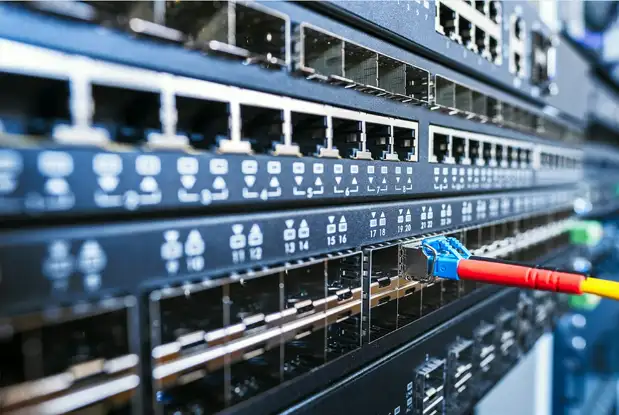
SFP and SFP+
Small Form-factor Pluggable (SFP)
- Commonly used to provide 1 Gbit/s fiber
- 1 Gbit/s RJ45 SFPs also available
Enhanced Small Form-factor Pluggable (SFP+)
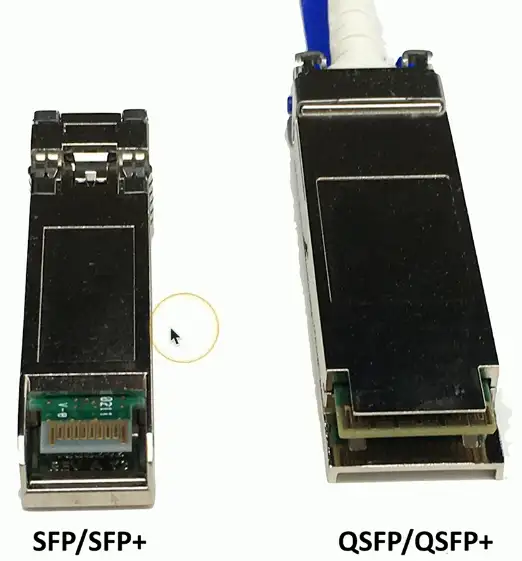
- Exactly the same physical size as SFPs
- Supports data rates up to 16 Gbit/s
- Common with 10 Gigabit Ethernet
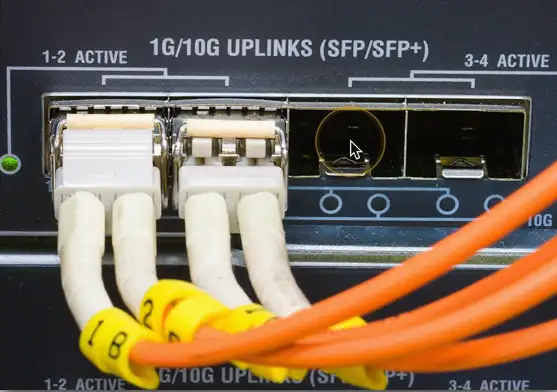
QSFP and QSFP+
Quad Small Form-factor Pluggable (QSFP)
- 4-channel SFP = Four 1 Gbit/s Channels = 4 Gbit/s
QSFP+ is four-channel SFP+
- Four 10 Gbit/sec channels = 40 Gbit/sec
Combine four SFPs into a single transceiver
- Cost savings in fiber and equipment
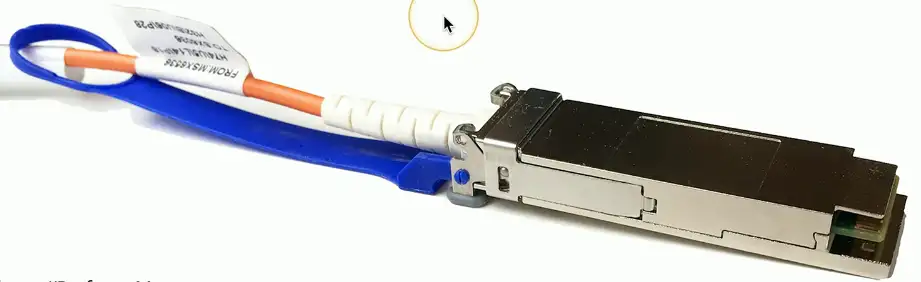
Transceiver Comparison
Fiber Connectors
SC — Subscriber Connector
Not actually an abbreviation
- We’ve created our own names
- Square Connector
- Standard Connector
Pushes on to lock
- Pull connector to unlock
A popular fiber connector
- Common in many data centers
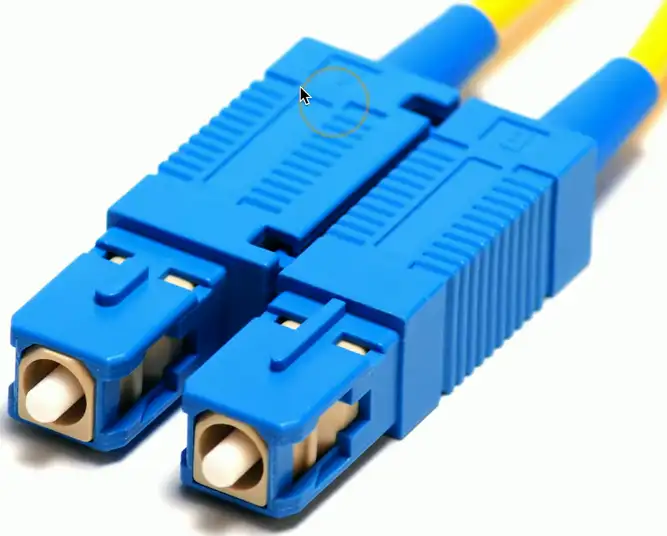
Two SC connectors are combined in one.
LC — Local Connector
Another popular fiber type
- Smaller and more compact connector
Locks in place with a clip
- Press to release
Other names
- Lucent Connector
- Little Connector
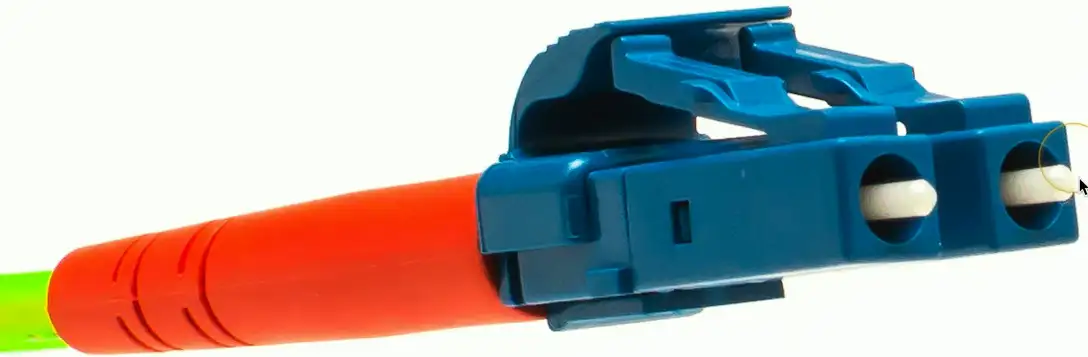
Two LC connectors are combined here in pair.
ST — Straight TIP
Bayonet connector
- Stick and Twist
Push on and turn
- Locks in place
- Turn to unlock
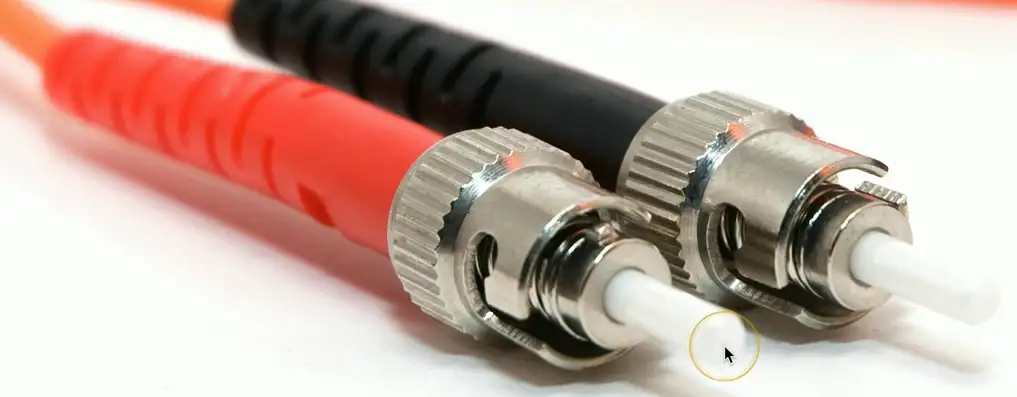
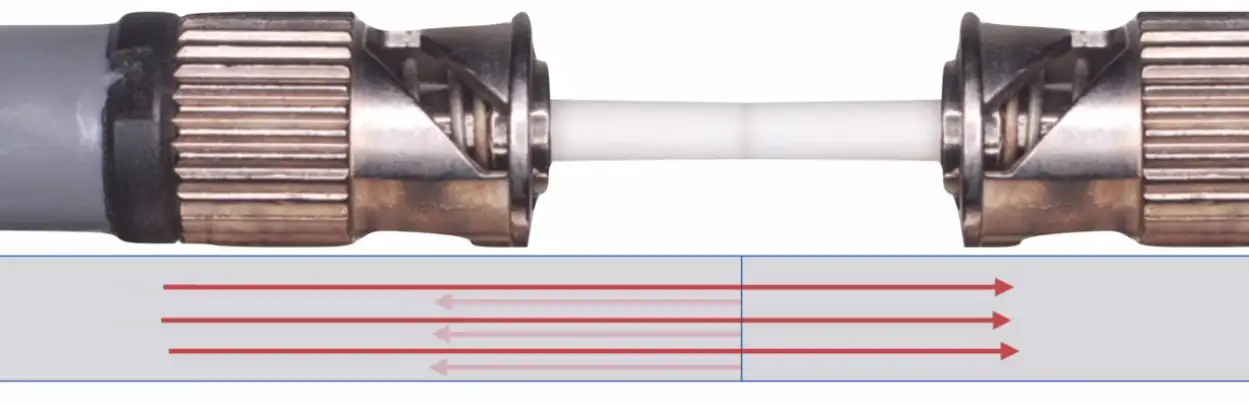
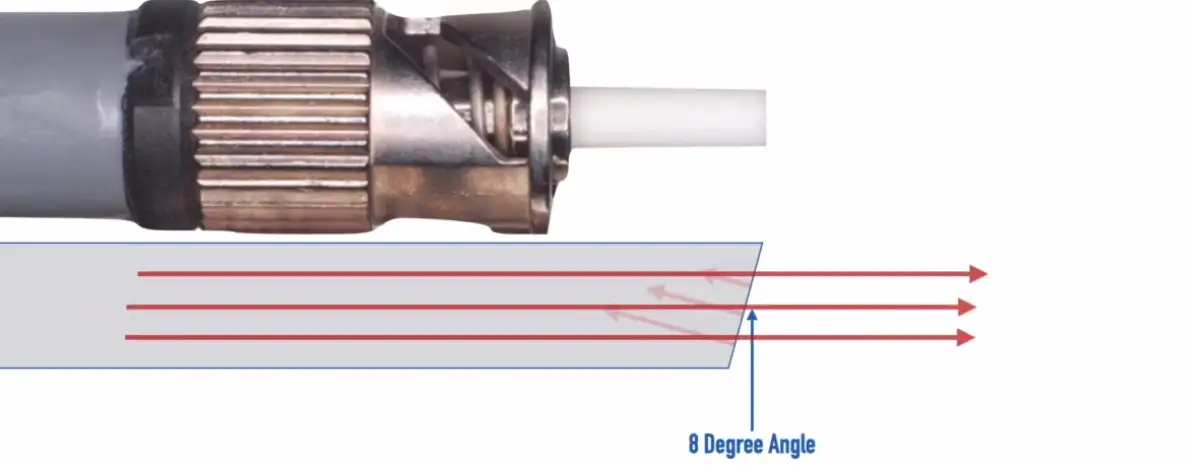
Ultra Physical Contact (UPC)
Refracted light from the contact can damage the transmitting laser inside the fiber.
Angled Physical Contact (APC)
Refracted light comes at an angle, and mostly absorbed by the fiber cladding.
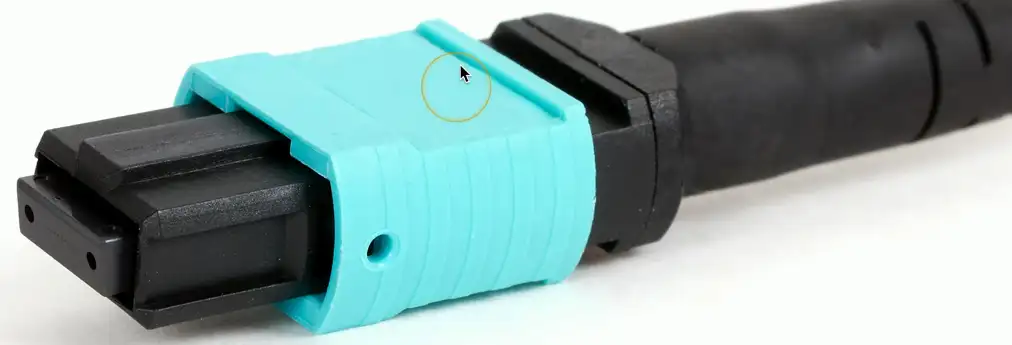
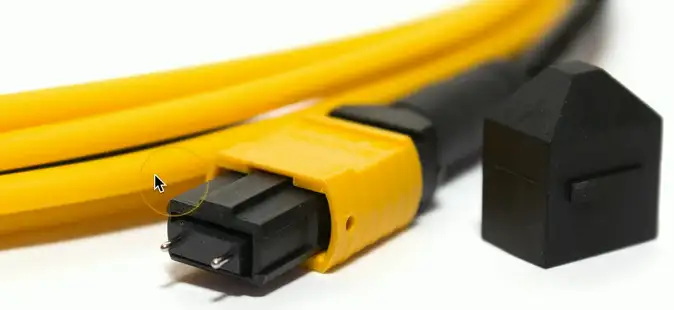
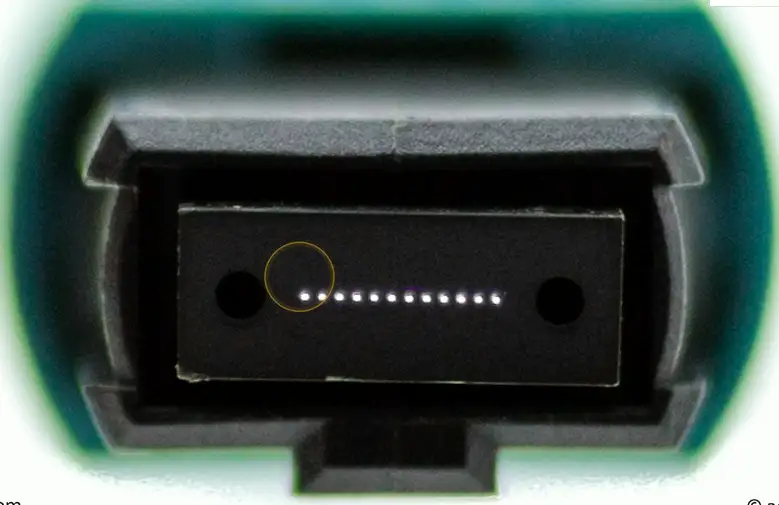
MPO — Multi-fiber Push On
Twelve fibers in a single connector
- Save space and manage one cable
Push to lock in place
- Pull connector to unlock
May also see the MTP abbreviation
- A Corning brand
- The MTP MPO connector
Copper Connectors
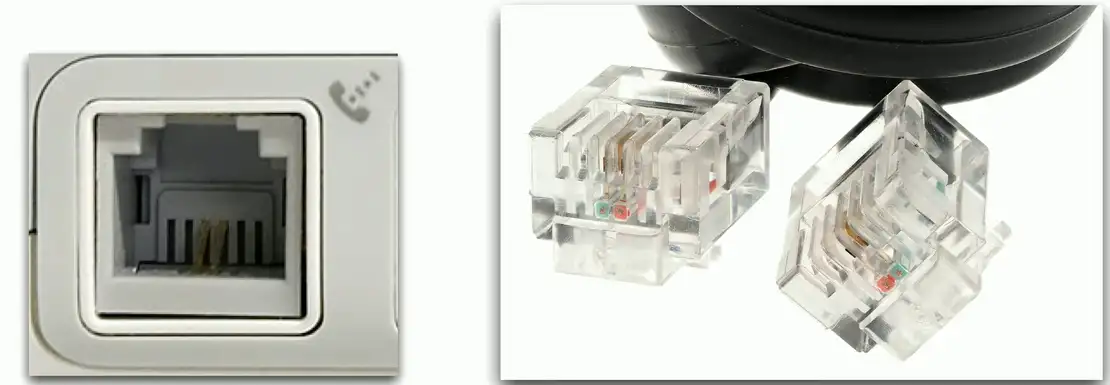
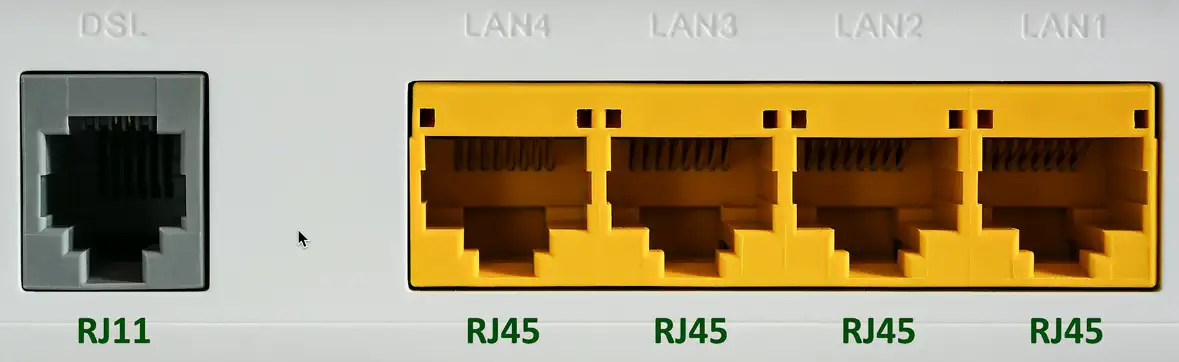
RJ11 Connector
Registered Jack type 11
- 6 position, 2 conductors (6P2C)
- Commonly used on telephones, modems, and fax machines
- RJ-14: 6 positions with 4 conductors
Telephone & DSL connection
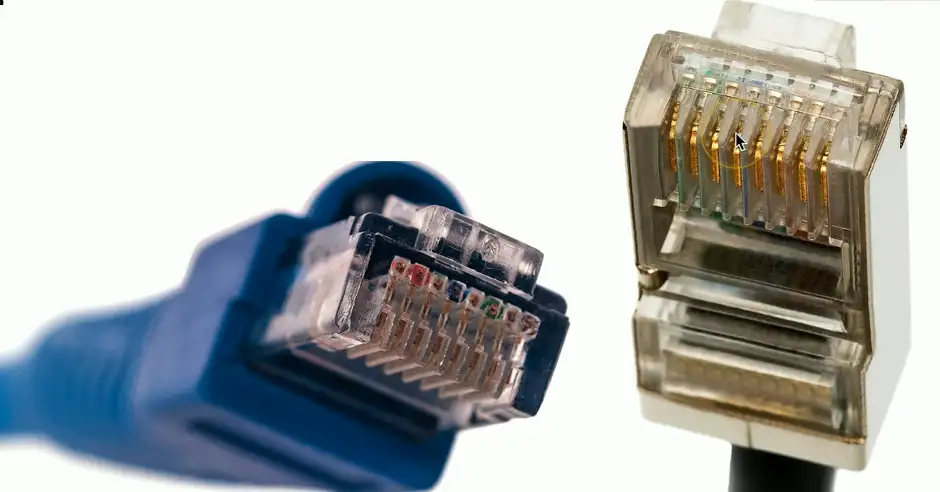
RJ45 Connector
Registered Jack type 45
- Commonly used on Ethernet cables
8 positions, 8 conductors (8P8C)
- Modular connector
- Ethernet
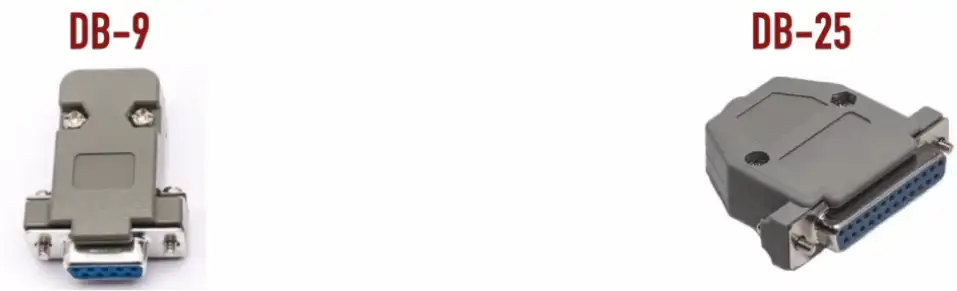
DB-9 and DB-25
Used with older serial connections (e.g., modem, serial printer, console on Unix host, or mouse)
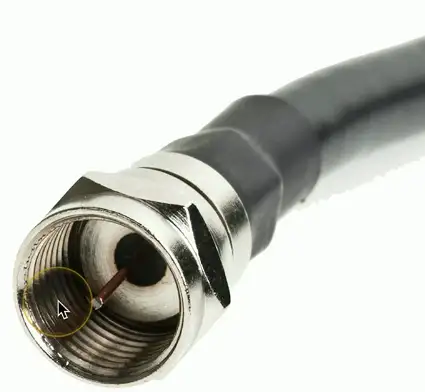
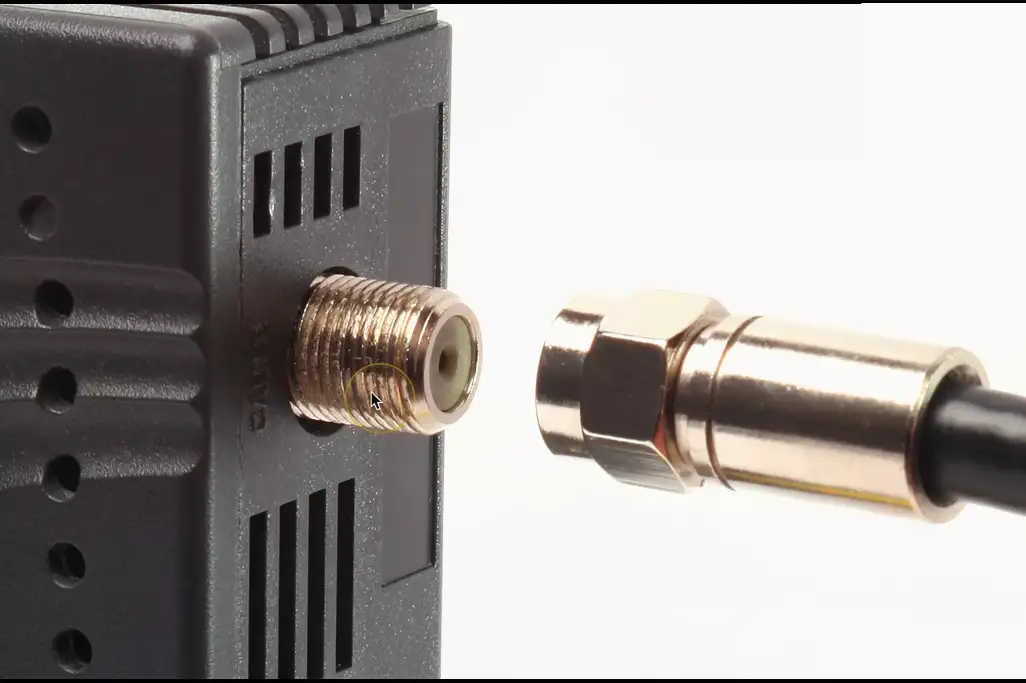
F-connector
Coaxial cable
- Standard connector type
- Threaded connector
- Commonly used with RG-6 and RG-59 coaxial cable
Cable television infrastructure
- Cable modem
- DOCSIS (Data Over Cable Service Interface Specification)
BNC Connector
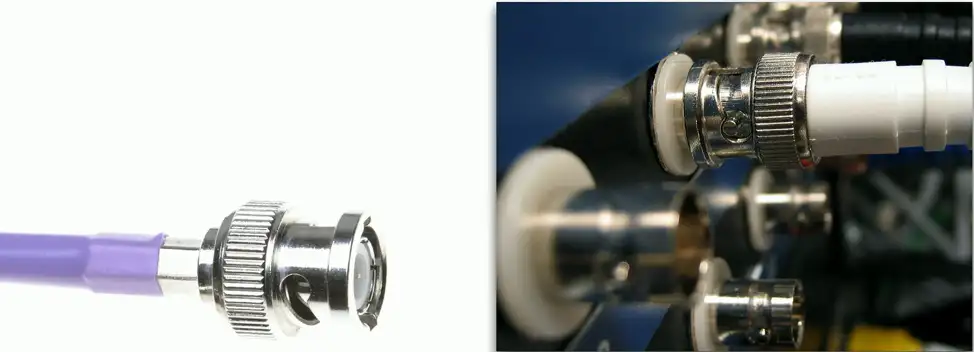
Bayonet Neil-Concelman
- Paul Neil (Bell Labs) and Carl Concelman
- Was used with 10BASE-2 networks
- Carries radio frequencies for a variety of electronic gear
- Usually connects to 50 or 75 Ohm coaxial cable
Another common coaxial cable connector
- Common with twinax and DS3 WAN links
- Video connections
Secure connections
- Twist and lock in place
Media Converters
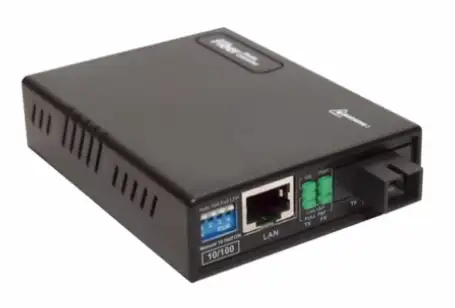
- Single-Mode Fiber to Ethernet
- Multimode Fiber to Ethernet
- Fiber to Coaxial
- Single-Mode Fiber to Multimode Fiber
Termination Point
Terminate Copper and Fiber cables:
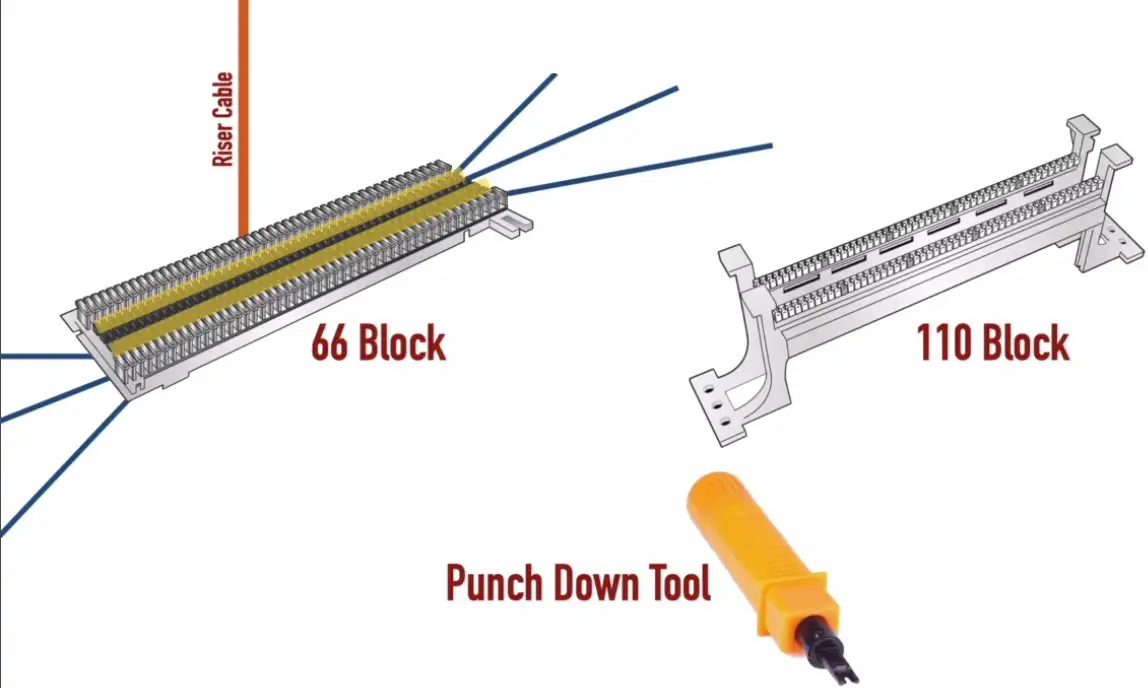
66 Block
- More common in PBX (Public Branch Exchange) or older CAT 3 equipment
- Susceptible to more cross talk
- Not used much nowadays
110 Block
- For Cat 6 or higher
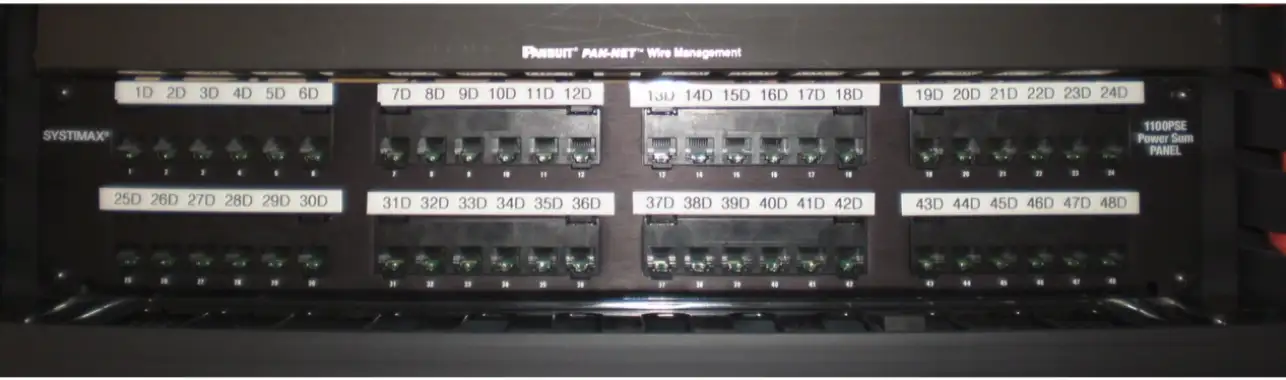
Patchpanel, makes termination of cables a lot easier and cleaner.
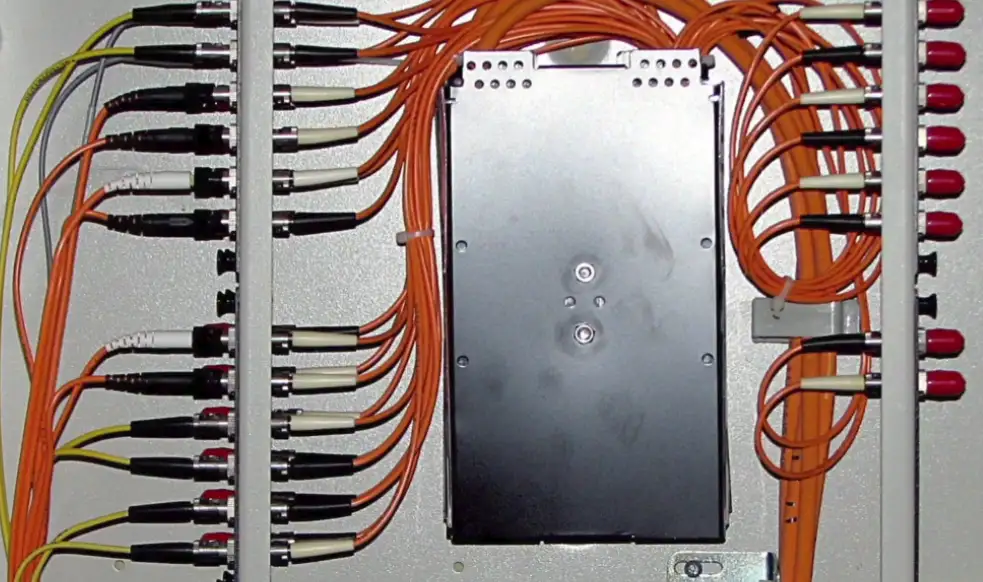
Fiber Distribution Panel
- All fibers in the building comes to this panel
- See only the connectors sticking out (ST connector in the FIG. below)
Demarcation Point (Demarc) and Smart Jack
- Demarcation Point: Where network maintenance responsibility passes from the WAN provider to the customer
- **Smart Jack:**A network device (commonly located at a Demarc) that can perform diagnostic tests on the connected circuit.
Cabling Tools
Crimper
- Make connection of the cables with the connectors by crimping on it.

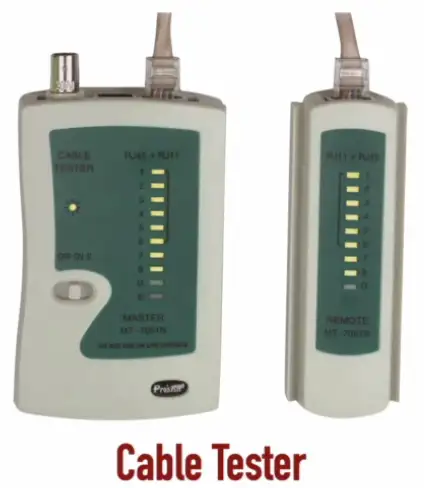
Cable Tester
- Tells how things are wired up
- Is there crossover or straight through cables etc.
Punch Down Tool
- Connect individual cables
- Punch down cables on 66/110 Blocks

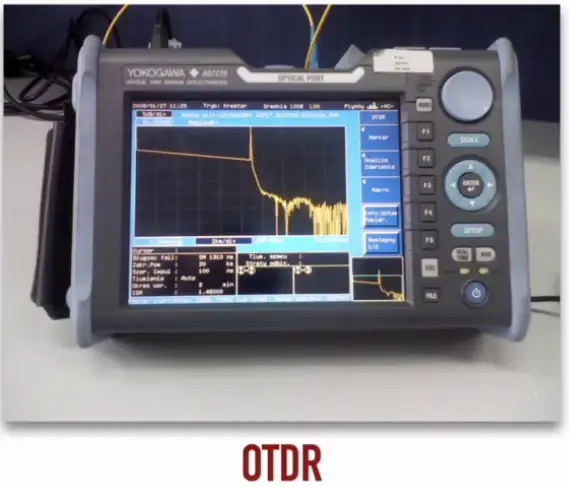
OTDR
- Optical Time Domain Reflectometer
- How far down, the optic fiber has broken down
- Use light and reflections to determine the distance from the broken optic fiber
- Expensive
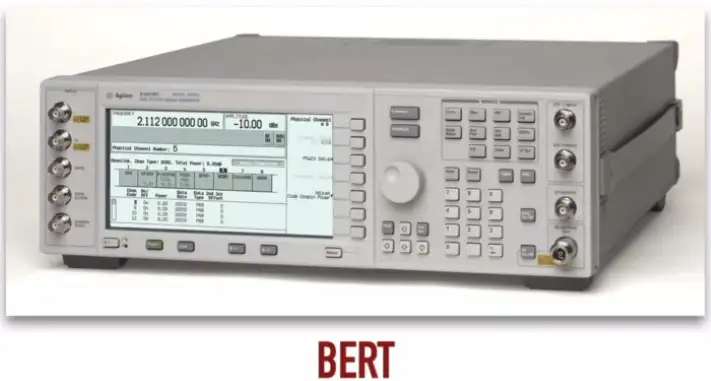
BERT
- Bit Error Rate Test
- Generate some load on the network
- Send out the pattern of 1s and 0s, and matched with the received data
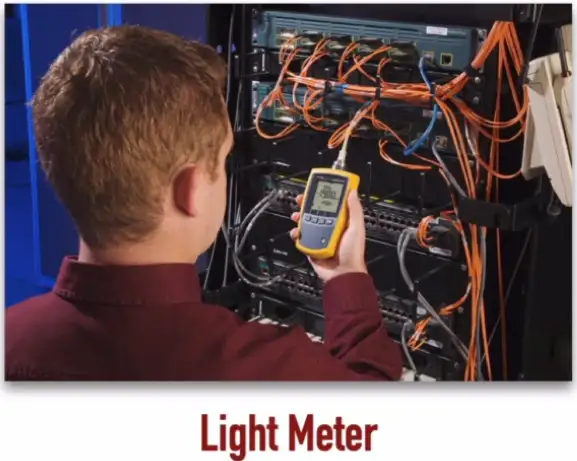
Light Meter
- Less expensive compared to BERT
- Test if light passing through from one end of the fiber optic cable to the other efficiently
- Measure the strength of the light inside the fiber optic cable
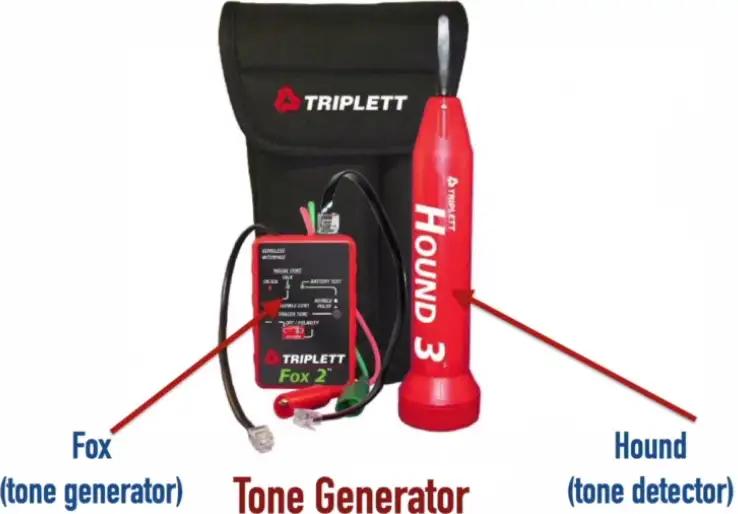
Tone Generator
- Used for tracking down specific copper cables
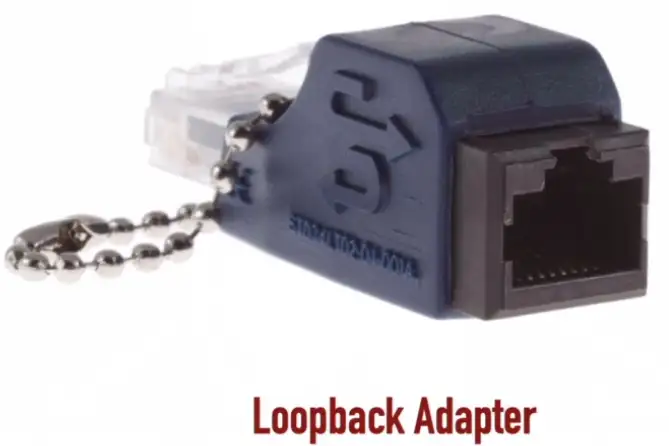
Loopback Adapter
- Inexpensive
- LED lit up to show we are transmitting and receiving at the same time
- Check if the cable is working
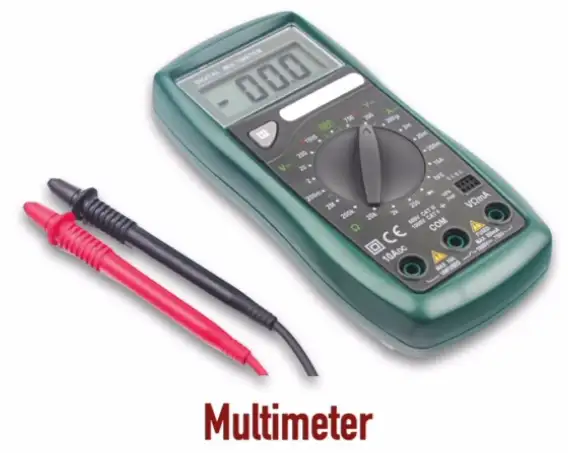
Multimeter
- Check voltage
- Continuity: See if the cable is broken somewhere
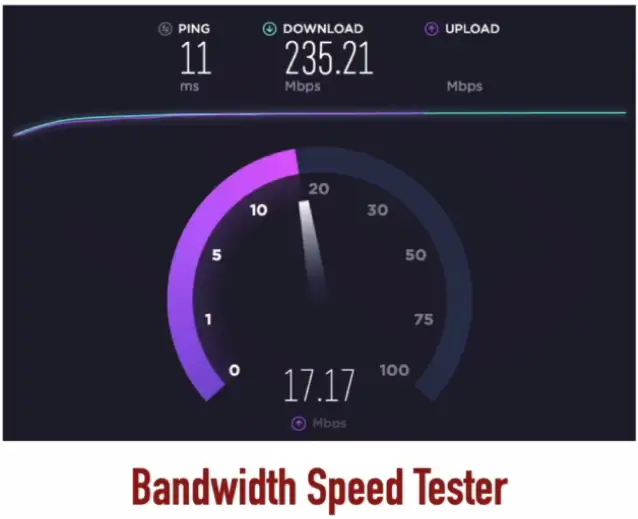
Bandwidth Speedtest
- Software tool
- E.g., https://speedtest.net, https://speed.cloudflare.com, https://openspeedtest.com
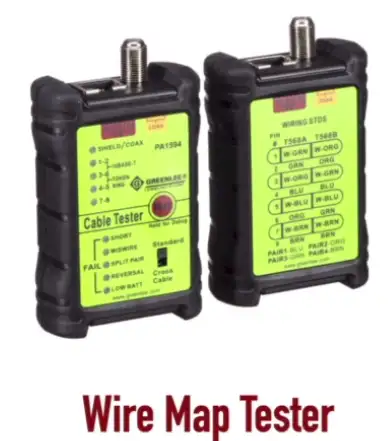
Wire Map Tester
- Right wires showing up on the RJ45 connector
- Trace short in the wire
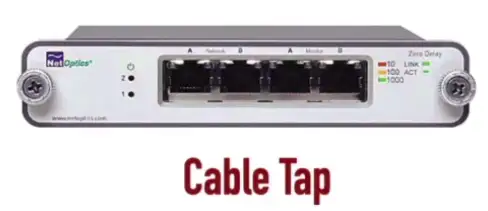
Cable Tap
- Electronic tapping of the modems or PBX
- Physically tap into the wires
- Can be used for nefarious purposes
- Security risk, but also used for checking signals inside the copper cables
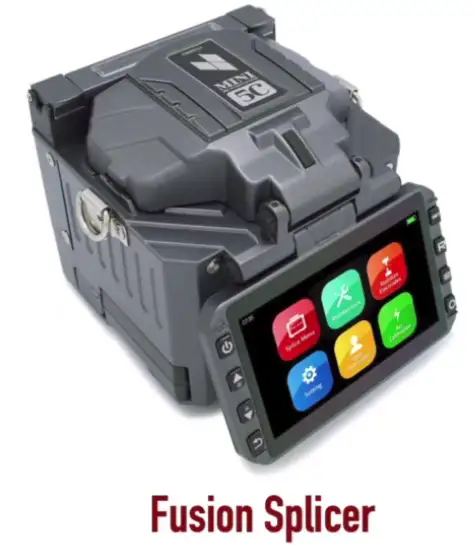
Fusion Splicer
- Join physically together two fiber optic strands
- Other method to join, is mechanical splicer
- Melts two fiber optic pieces together
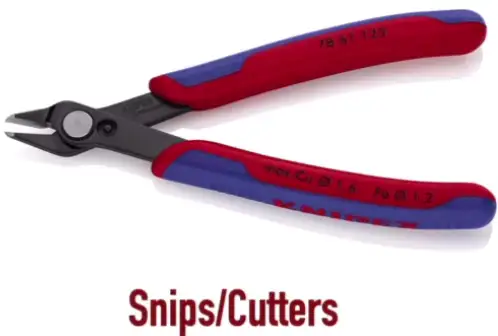
Snips/Cutters
- Cut copper wires, after getting them out the insulation
Cable Stripper
- Strips the cable’s outer insulation

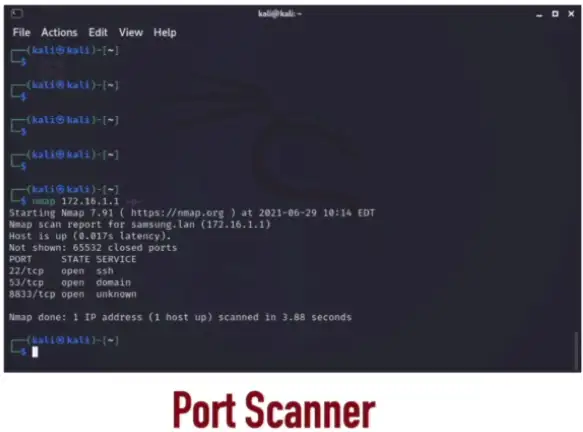
Port Scanner
- Software tool e.g., nmap
- Scans OS/Server’s open ports which can be a security risk
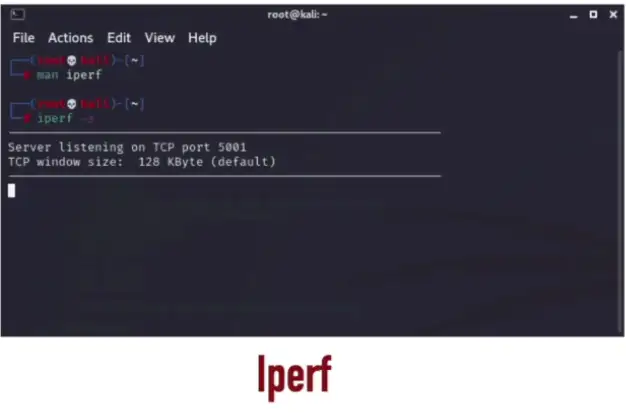
Iperf
- Can run network performance test
- One device running as a server and other as a client, one can perform network throughput test between them
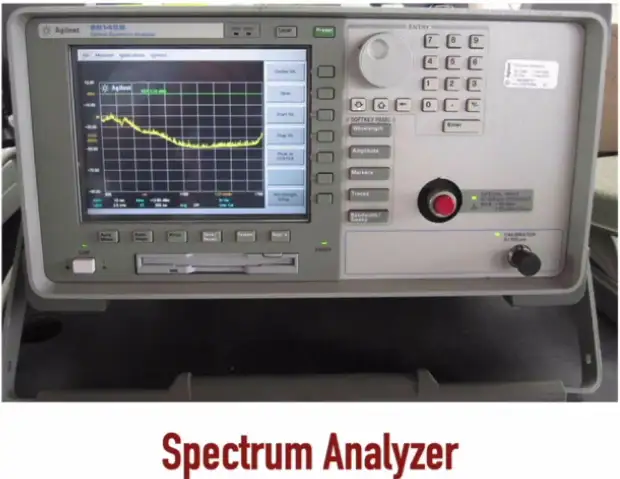
Spectrum Analyzer
- Measure power of optical source for different wavelengths
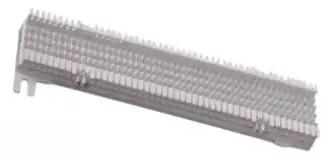
Punch-Down Blocks
Found in the wiring closet, where we are physically punching building wires into the conductors inside the punch-down blocks.
66-Block
- Legacy
- Typically, supports Cat 3 cable
- Some options support Cat 5e
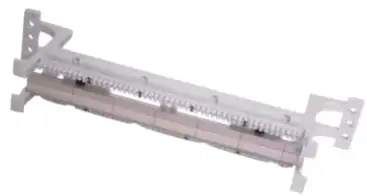
110-Block
- Preferred over 66 blocks
- Typically, supports Cat 6a and lower
Krone
- The German word for crown
- A European alternative to the 110 block
- Can support stranded conductors (conductor with multiple thin wires), in addition to solid conductors
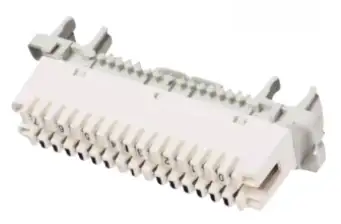
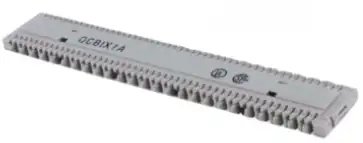
BIX (Building Industry Cross-connect)
- Typically, supports Cat 5e
- GigaBIX exceeds Cat 6 specifications (max. bandwidth 4.8 Gbps)
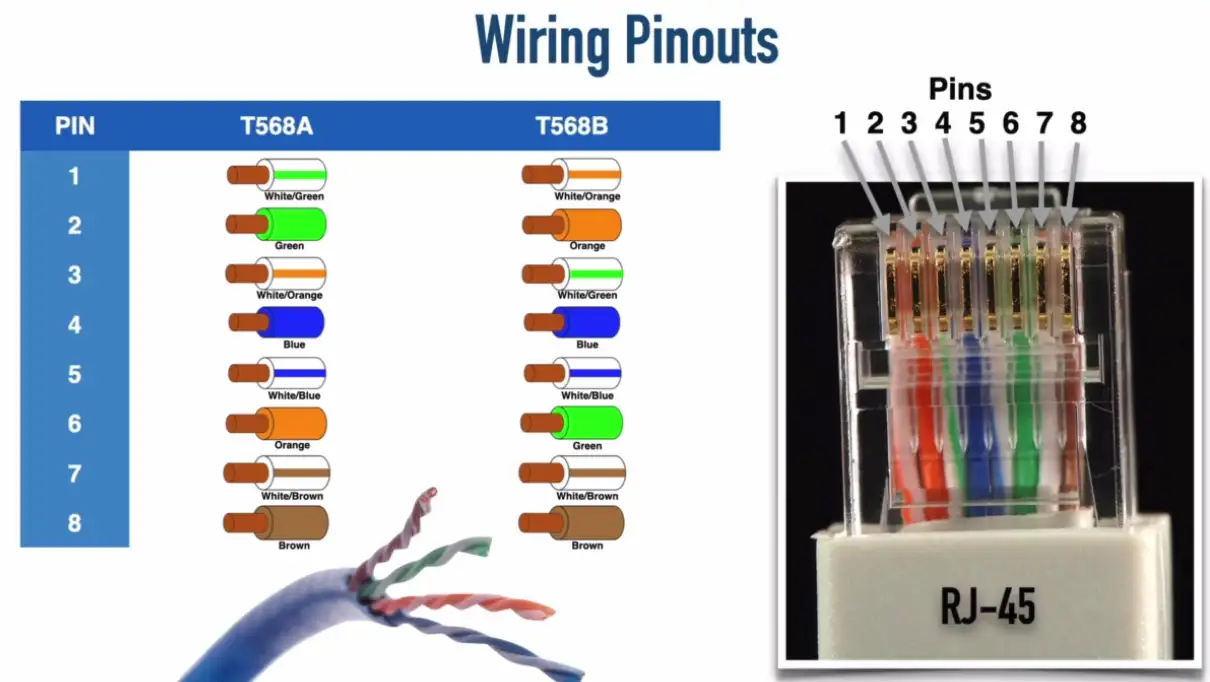
T568 Standards
Which color cable will be connected to which color pin inside the RJ45 connector.
Some standard bodies:
- American National Standards Institute (ANSI)
- Telecommunication Industry Association (TIA)
Straight-Through vs. Crossover Cables
Straight-Through Cable
A straight (patch) cable is when both ends of a cable are wired using the same standard.
- It connects dissimilar devices, PC to Switch, Switch to Router etc.
- The most common type of Ethernet cable that’s used on a LAN
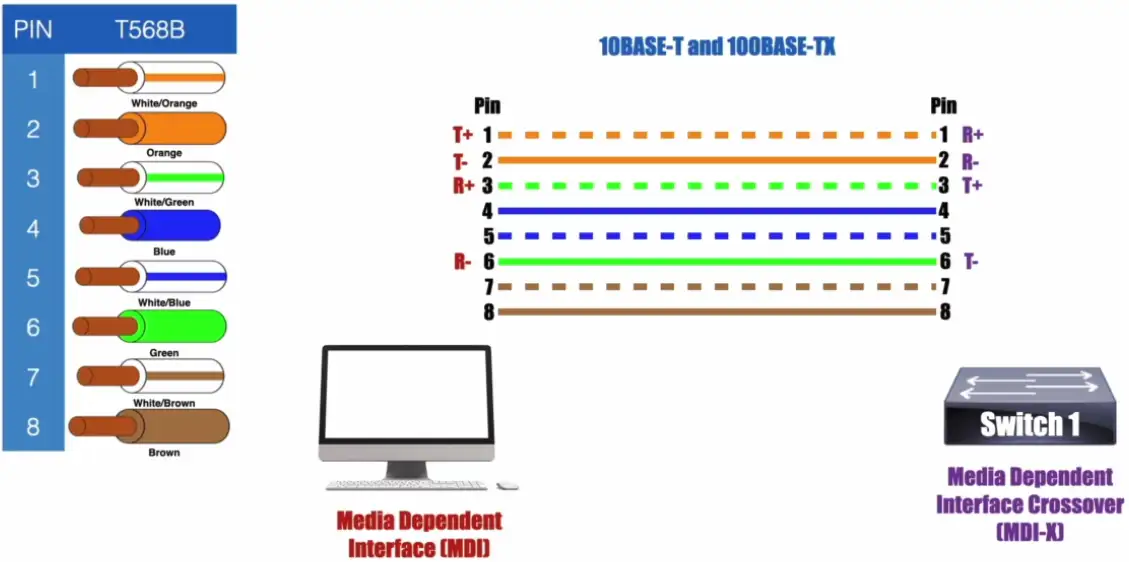
NOTE: Some literature defines MDI and MDI-X as follows:
- MDI: Medium-Dependent Interface
- MDI-X: Medium-Dependent Interface Crossover
Auto MDI-X
- Allows a switch port to dynamically determine which pins to use for transmitting and receiving
Crossover Cable
A crossover cable is when both ends of a cable are wired using the 2 different standards
- Connects two similar, PC to PC, Switch to Switch
- Can be used to connect two similar devices without a hub or switch
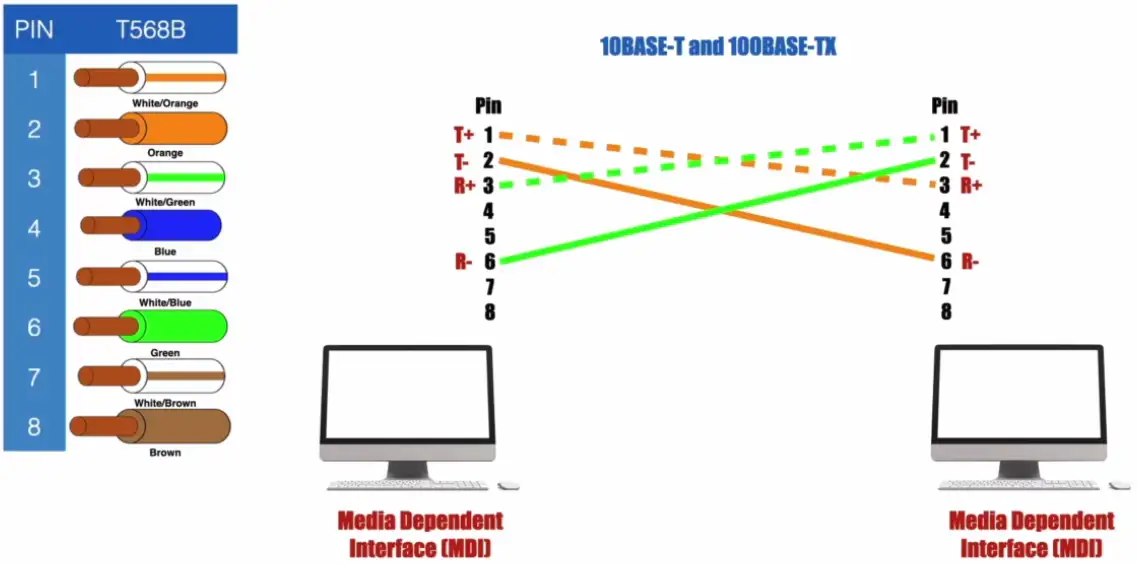
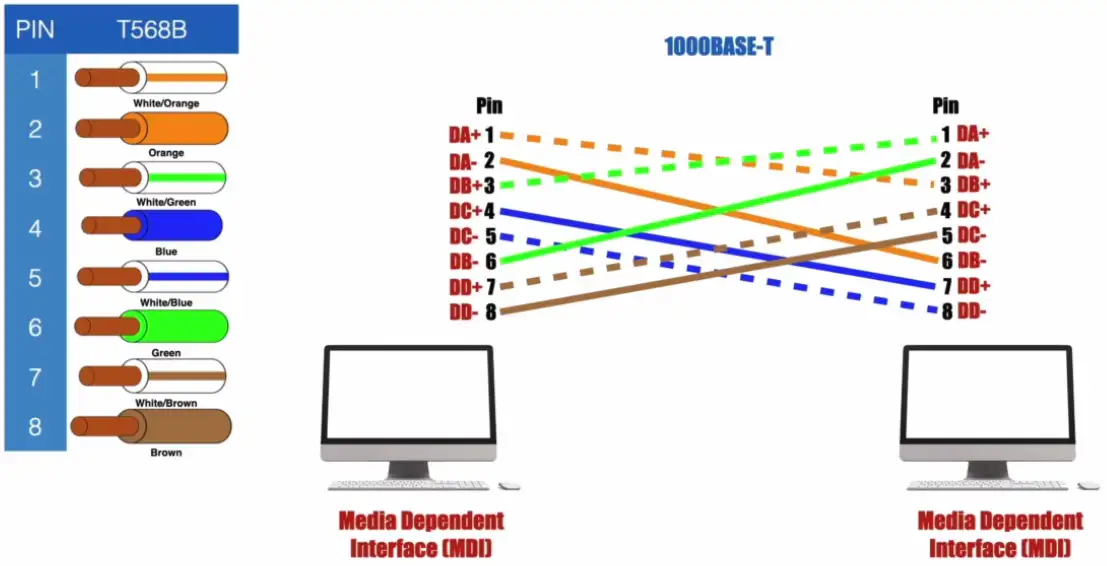
Ethernet Standards
Ethernet Standards for Copper Cabling
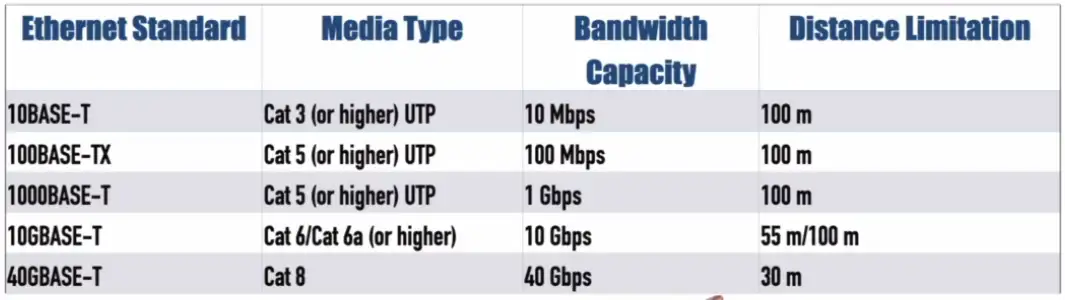 NOTE: T — Twisted Pair Cable
Ethernet Standards for Fiber Optic Cabling
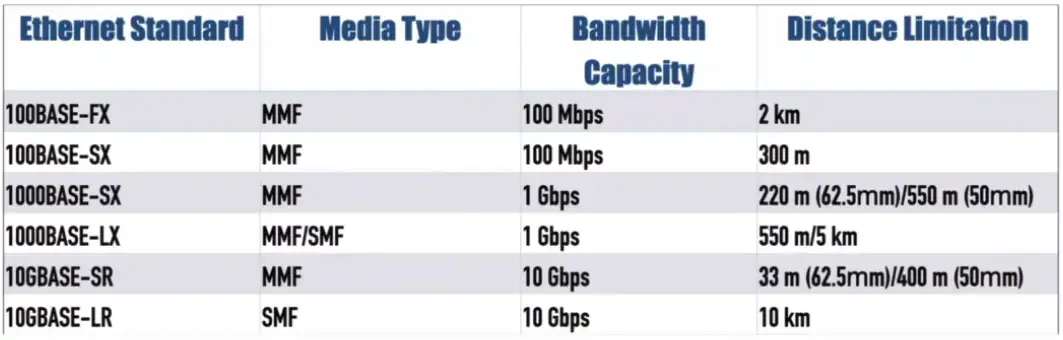 NOTE: SX — Shorter Wavelength, SR — Short Range, LR — Long Range, FX — Fiber Optic, LX — Long Wavelength
Fiber Multiplexing:
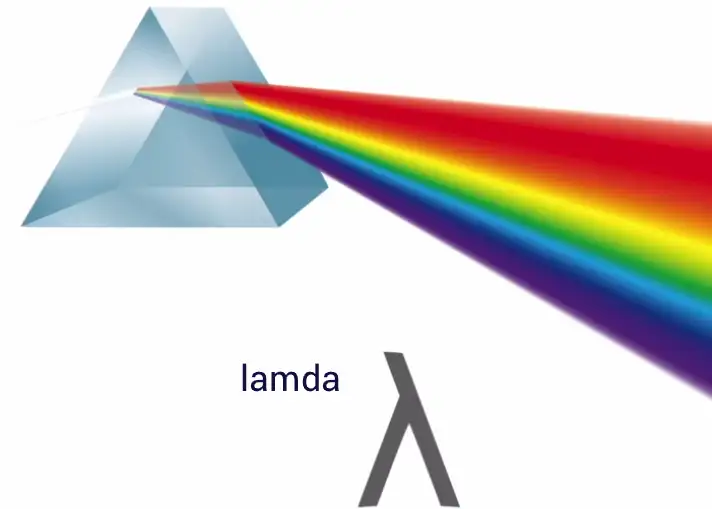
- Use different colors of light to transmit different customers’ data through fiber at the same time
- Color of light is represented by lambda
Coarse Wavelength Division Multiplexing (CWDM): Typically supports a maximum of 8 channels (although 18 channels are possible over shorter distance). Each channel’s wavelength is separated by 20 nm. Maximum distance is 80 km. Does not support amplifiers.
Dense Wavelength Division Multiplexing: Supports a maximum of 80 channels, with each channel’s wavelength separated by 0.4 nm. Maximum distance is 3000 km. Supports amplifiers.
Bidirectional Wavelength Division Multiplexing (WDM): Allows a single fiber optic strand to simultaneously carry the transmission and reception of multiple channels, by assigning different wavelengths to the transmission and reception components of a single channel. This can reduce fiber costs, at the expense of fewer channels.