Wireless Devices
Wireless Technologies
IEEE standards
- Institute of Electrical and Electronics Engineers
- 802.11 committee
- Everyone follows these standards
Also referenced as a generation
- 802.11ac is Wi-Fi 5
- 802.11ax is Wi-Fi 6 and Wi-Fi 6E (extended)
- 802.11be is Wi-Fi 7
- Future versions will increment accordingly
Frequencies
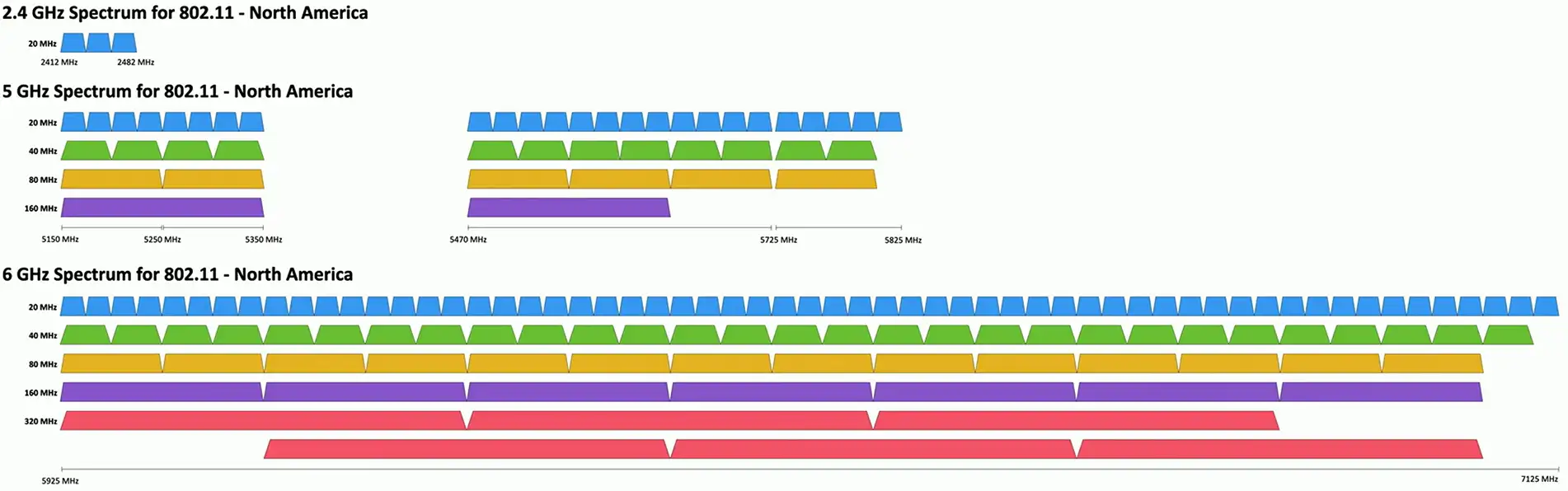
- 2.4 GHz, 5 GHz, and 6GHz
- Sometimes a combination
Channels
- Groups of frequencies, numbered by the IEEE
- Using non-overlapping channels would be optimal
Bandwidth
- Amount of frequency in use
- 20 MHz, 40 MHz, 80 MHz, 160 MHz
Band Selection and Bandwidth
Band steering
Many frequencies to choose from
- Not all of them are optimal
Some devices may only use one frequency
- Older devices, specialized systems, etc.
Other devices may have a choice
- 2.4 GHz, 5 GHz, or 6 GHz
Use band steering to direct clients to the best frequency
- 2.4 GHz and 5 GHz without band steering = strongest frequency
- 2.4 GHz and 5 GHz with band steering = 5 GHz connection
Regulatory Impacts
Managing the wireless spectrum is a challenge
- Individuals, companies, organizations, countries
The world is constantly changing
- Frequency allocations can be fluid
Industry standards are also often worldwide standards
- We all have to work together
IEEE 802.11h standard
- Add interoperability features to 802.11
The 802.11h standard
802.11 wireless complies with ITU guidelines
- A worldwide approach
- Now part of the 802.11 standard
DFS (Dynamic Frequency Selection)
- Avoid frequency conflict
- Access point can switch to an unused frequency
- Clients move with the access point
TPC (Transmit Power Control)
- Avoid conflict with satellite services
- Access point determines power output of the client
Wireless Networking
Independent Basic Service Set (IBSS)
Two devices communicate directly to each other using 802.11
- No access point required
Ad hoc
- Created for a particular purpose without any previous planning
- Without an AP
Temporary or long-term communication
- Connect to a device with an ad hoc connection
- Configure it with the access point settings and credentials
SSID and BSSID
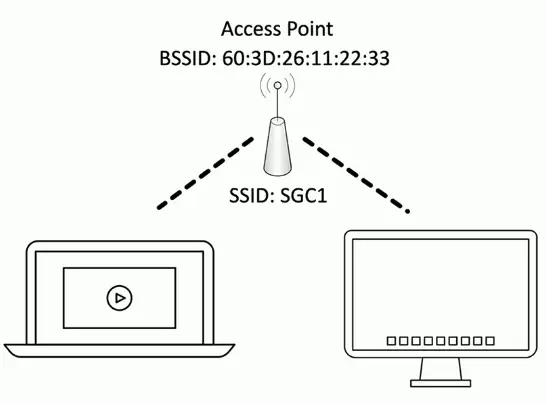
Every wireless network needs a name
- SSID (Service Set Identifier)
There might be multiple access points supporting an SSID
- How does your computer tell them apart?
- The hardware address of an access point is a BSSID (Basic Service Set Identifier)
- The MAC (Media Access Control) address
Extending the network
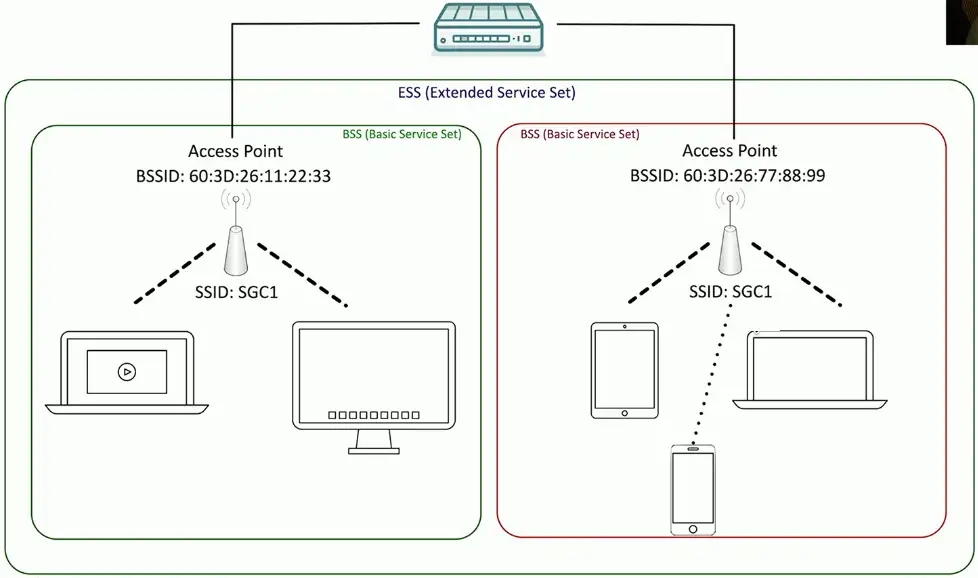
Most organizations have more than one access point
- Tens or hundreds
Wireless network names can be used across access points
- Makes it easier to roam from one part of the network to another
The network name shared across access points is an ESSID
- Extended Service Set Identifier
Your device automatically roams when moving between access points
- You don’t have to manually reconnect
ESSID (Extended Service Set Identifier)
Captive Portal
Authentication to a network
- Common on wireless network
Access table recognizes a lack of authentication
- Redirects your web access to a captive portal page
Username/Password
- And additional authentication factors
Once proper authentication is provided, the web session continues
- Until the captive portal removes your access (could be 24h timer)
Wireless Security modes
Configure the authentication on your wireless access point/wireless router
Open system
- No authentication password is required
WPA/2/3-Personal/WPA/2/3-PSK
- WPA2 or WPA3 with a pre-shared key
- Everyone uses the same 256-bit key
WPA/2/3-Enterprise/WPA/2/3-802.1X
- Authenticates users individually with an authentication server (i.e., RADIUS, LDAP, etc.)
Omnidirectional Antennas
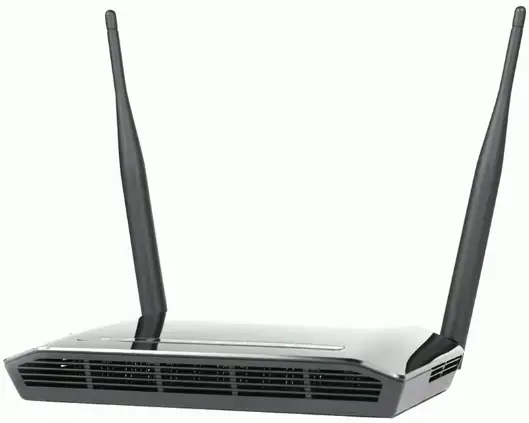
One of the most common
- Included on most access points
Signal is evenly distributed on all sides
- Omni = all
Good choice for most environments
- You need coverage in all directions
No ability to focus the signal
- A different antenna will be required
Directional Antennas
Focus the signal
- Increased distances
Send and receive in a single direction
- Focused transmission and listening
Antenna performance is measured in dB
- Double power every 3dB of gain
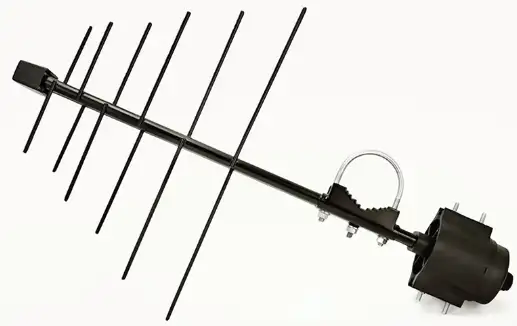
Yagi antenna
- Very directional and high gain
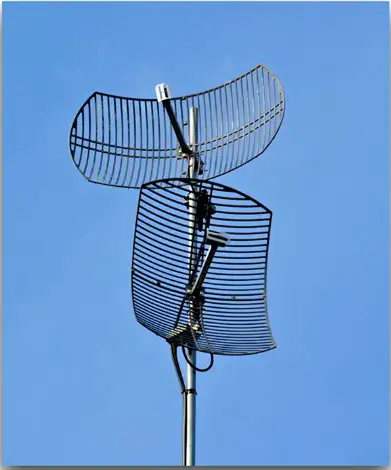
Parabolic antenna
- Focus the signal to a single point
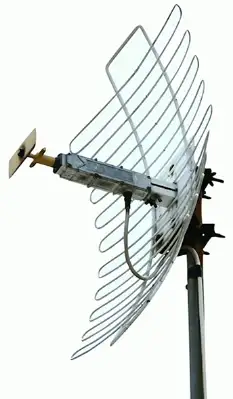
Managing Wireless Configurations
Autonomous access points
- The access point handles most wireless tasks
- The switch is not wireless-aware
Lightweight access points
- Just enough to be 802.11 wireless
- The intelligence is in the switch
- Less expensive
Control and provision
- CAPWAP is an RFC standard
- Control and Provisioning of Wireless Access Points
- Manage multiple access points simultaneously
Wireless LAN Controllers
Centralized management of access points
- A single “pane of glass”
Deploy new access points
Performance and security monitoring
Configure and deploy changes to all sites
Report on access point use
Usually a proprietary system
- The wireless controller is paired with the access point
Network Types
Wireless mesh
Multiple access points
- Access points bridge the gap
- Clients across an extended distance can communicate with each other
Ad hoc devices work together to form a mesh “cloud”
- Self form and self-heal
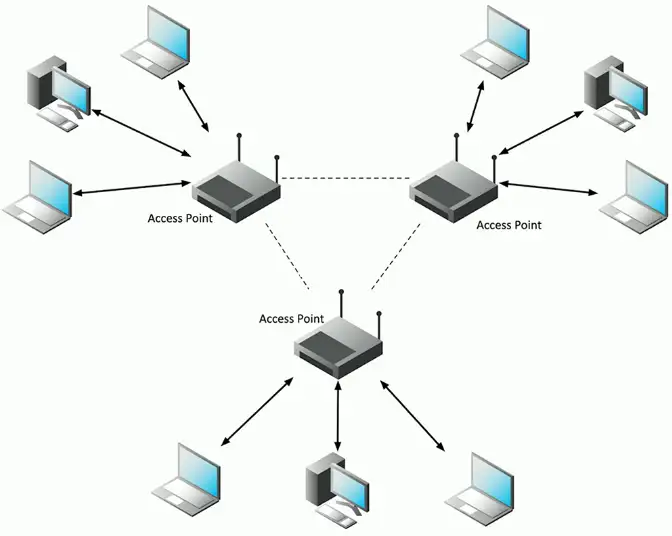
Ad hoc mode
Ad hoc
- Created for a particular purpose without any previous planning
- Without an AP
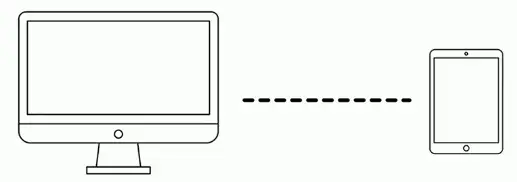
Two devices communicate directly to each other using 802.11
- No access point required
- Independent basic service set (IBSS)
Temporary or long-term communication
- Connect to a device with an ad hoc connection
- Configure it with the access point settings and credentials
Point to point mode
Connect two access points together
- Extend a wired network over a distance
- Building to building
- Site to site
May require specialized wireless equipment
- Outdoor antennas and access point
- Power adjustments
- Frequency options
Infrastructure mode
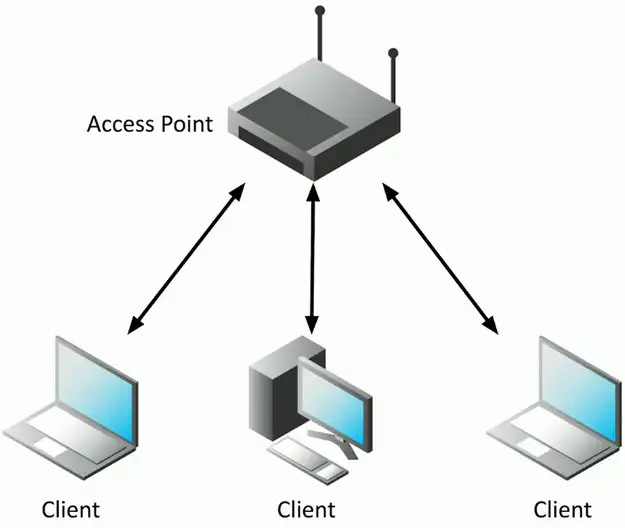
Clients communicate to an access point
- Access point forwards traffic
Clients can communicate to a wired network
- Access point bridges the networks
Clients can communicate to each other
- If the access point allows
Wireless Encryption
Securing a wireless network
An organization’s wireless network can contain confidential information
- Not everyone is allowed access
Authenticate the users before granting access
- Who gets access to the wireless network?
- Username, password, multifactor authentication
Ensure that all communication is confidential
- Encrypt the wireless data
Verify the integrity of all communication
- The received data should be identical to the original sent data
- A message integrity check (MIC)
WPA (Wi-Fi Protected Access)
2002: WPA was the replacement for serious cryptographic weaknesses in WEP (Wired Equivalent Privacy)
- Don’t use WEP
Needed a short-term bridge between WEP and whatever would be the successor
- Run on existing hardware
WPA2 and CCMP
Wi-Fi Protected Access II (WPA2)
- WPA2 certification began in 2004
CCMP block cipher mode
- Counter Mode with Cipher Block Chaining Message Authentication Code Protocol, or Counter/CBC-MAC Protocol
CCMP security services
- Data confidentiality with AES encryption
- Message Integrity Check (MIC) with CBC-MAC
WPA3 and GCMP
Wi-Fi Protected Access 3 (WPA3)
- introduced in 2018
GCMP block cipher mode
- Galois/Counter Mode Protocol
- A stronger encryption than WPA2
GCMP security services
- Data confidentiality with AES
- Message Integrity Check (MIC) with Galois Message Authentication Code (GMAC)