The OSI Model
Understanding the OSI Model
What is the OSI model?
- Open Systems Interconnection Reference Model
It’s a guide (thus the term “model”)
- Don’t get wrapped up in the details
This is not the OSI protocol suite
- Most of the OSI protocols didn’t catch on
↻ There are unique protocols at every layer
You’ll refer to this model for the rest of your career
- Often
↻ [A]ll [P]eople [S]eem [T]o [N]eed [D]ata [P]rocessing
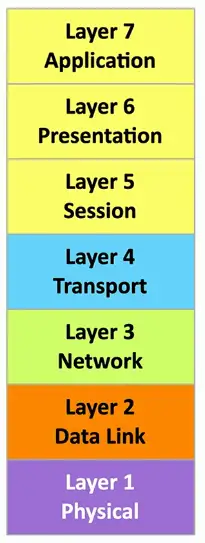
Protocol Data Unit: The name given to data at a specific layer of the OSI Model i.e., Bits, Frames etc.
- To remember PDUs of first 4 layers, the mnemonic is [B]acon [F]rying [P]rodues [S]alivation
Layer 1 — Physical Layer
The physics of the network
- Signaling, cabling, connectors
- This layer isn’t about protocols
- Data is referred to as Bits at layer 1
- This layer doesn’t process any data, dealing only with physical transmission of signals i.e., Networking Cables, Hubs, Repeaters are layer 1 devices.
“You have a physical layer problem.”
- Fix your cabling, punch-downs, etc.
- Fun loopback tests, test/replace cables, swap adapter cards
Layer 2 — Data Link Layer
The basic network “language”
- The foundation of communication at the data link layer
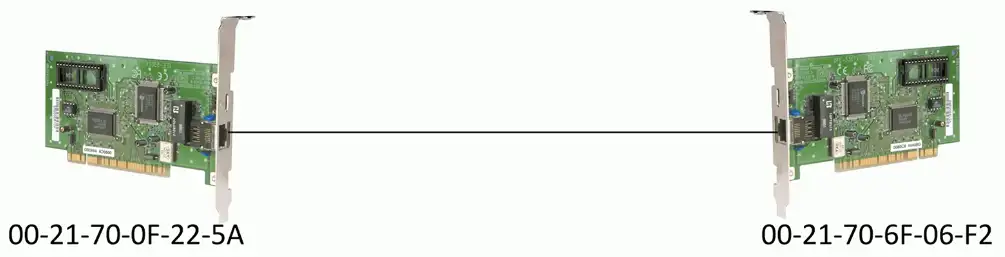
Decisions are made based on MAC Addresses at layer 2.
- A 48-bit address “burned-in” to a network interface card (NIC) by its manufacturer.
- The device at this layer is Ethernet Switch
- The data is referred to as Frames
- Switches, Bridges, Network adapters (NICs) are layer 2 devices. NICs also operate layer 1.
Data Link Control (DLC) protocols
- MAC (Media Access Control) address on Ethernet
- ARP (Address Resolution Protocol) operates at layer 2, which used to resolve IP addresses (layer 3) to MAC addresses (layer 2)
The “switching” layer
Layer 3 — Network Layer
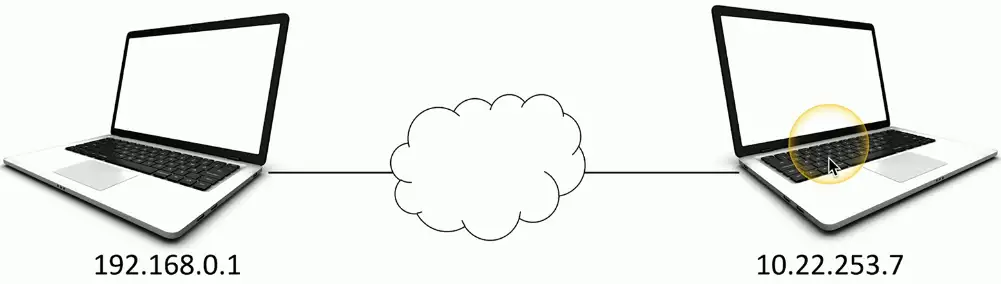
The “routing” layer
- The forwarding decisions based on Internet Protocol (IP) Address
- ICMP (Internet Control Message Protocol) operates at layer 3. It doesn’t transfer data, rather used for error reporting and diagnostics (ping and traceroute), and network control messages.
- It is encapsulated directly within IP packets and doesn’t use transport layer protocols like TCP or UDP.
- The PDU is Packets
Fragments frames to traverse different networks
Layer 4 — Transport Layer
The “post office” layer, it concerns with network connections
- Parcels and letters
- The PDU at layer 4 is called Segments and Datagram
There are two types of protocols at play at layer 4:
- Connection-oriented TCP, Reliable, PDU for TCP is segments
- Connectionless UDP, Unreliable, PDU for UDP is datagram
TCP (Transmission Control Protocol) and UDP (User Datagram Protocol)
Layer 5 — Session Layer
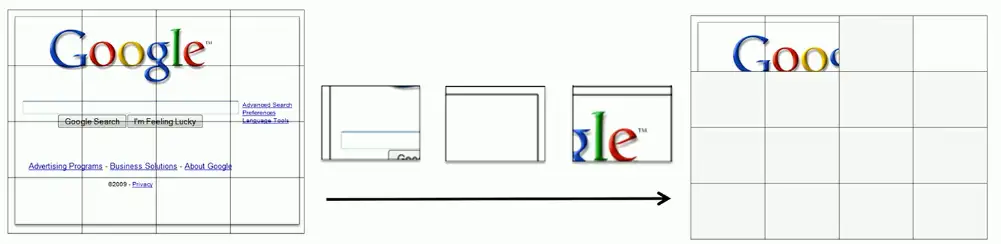
Communication management between devices
- Start, stop, restart
- SIP (session initiation protocol) for VoIP
Control protocols, tunneling protocols
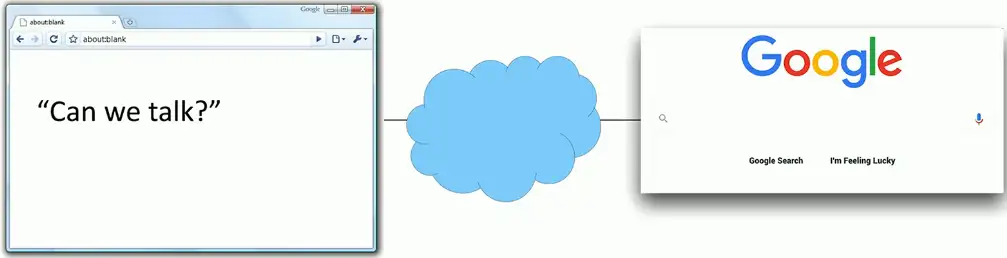
Layer 6 — Presentation Layer
- The layer we see
- Displaying an image or ASCII
- Character encoding
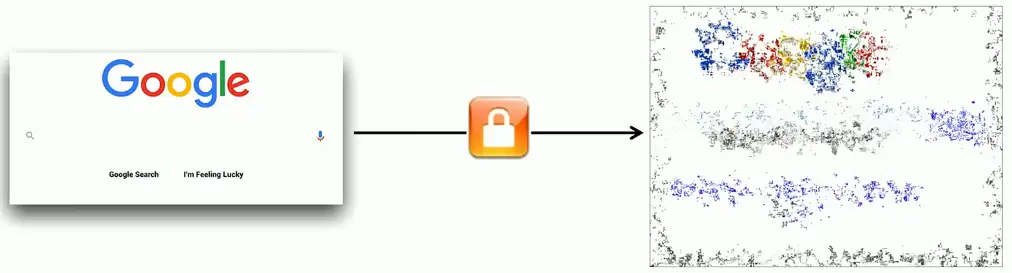
- Application encryption
- Often combined with the Application Layer
Layer 7 — Application Layer
- The Protocols that give us network functionality, not the graphics display
- HTTP/s, FTP, DNS, POP3, SMTP
- It enables direct interaction between the end-user and the network

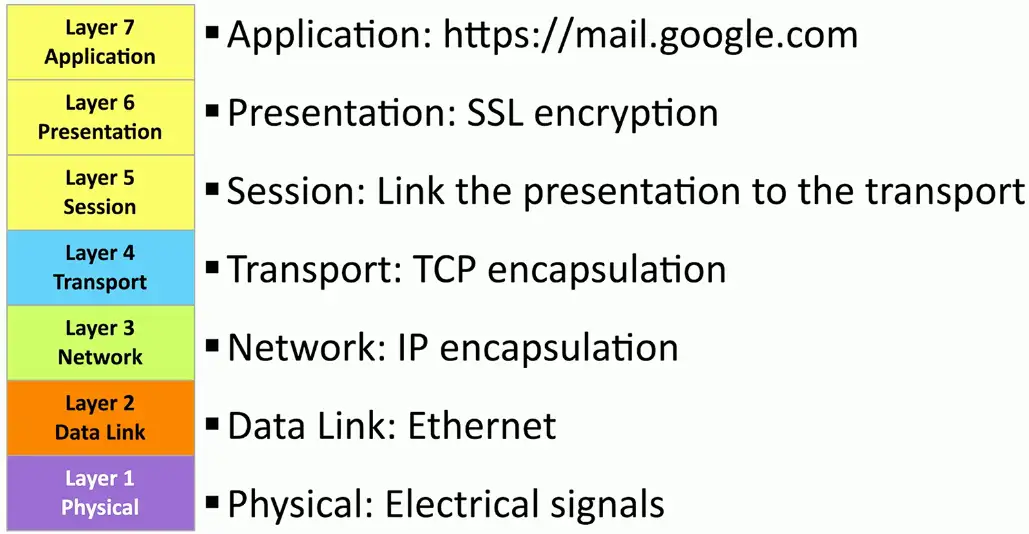
Real-World to OSI Model
| Layer 7: Application | Your eyes |
|---|---|
| Layer 6: Presentation | Application encryption (SSL/TLS) |
| Layer 5: Session | Control protocols, tunneling protocols |
| Layer 4: Transport | TCP segments (connection-oriented, reliable), UDP datagram(connectionless, unreliable) |
| Layer 3: Network | IP address, Router, Packet |
| Layer 2: Data Link | Frame, MAC address, Extended Unique Identifier (EUI-48, EUI-64), Switch |
| Layer 1: Physical | Bits, Cables, fiber, and the signal itself, just transmissions, no modification |
OSI in the real world:
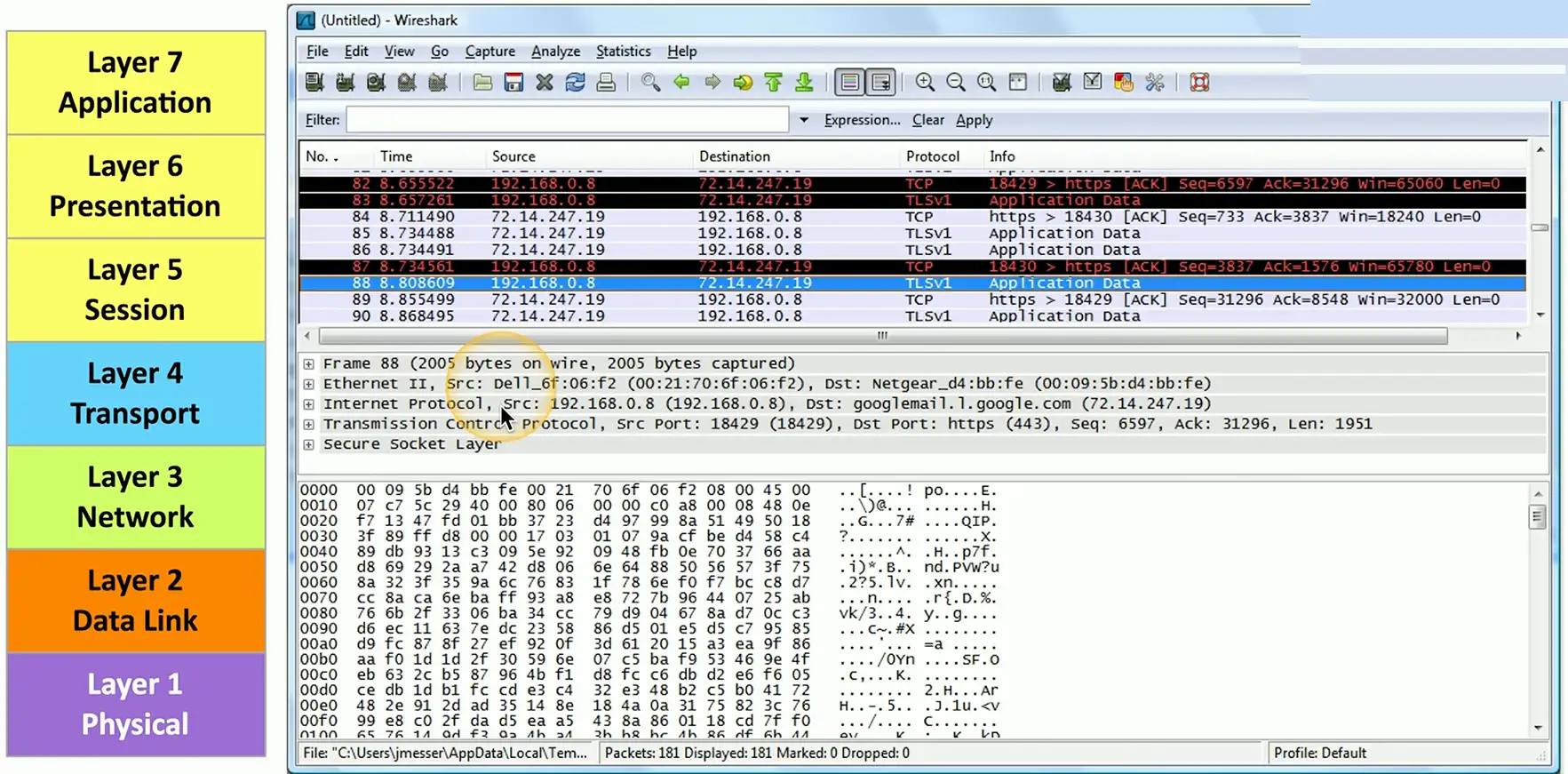
Follow the conversation:
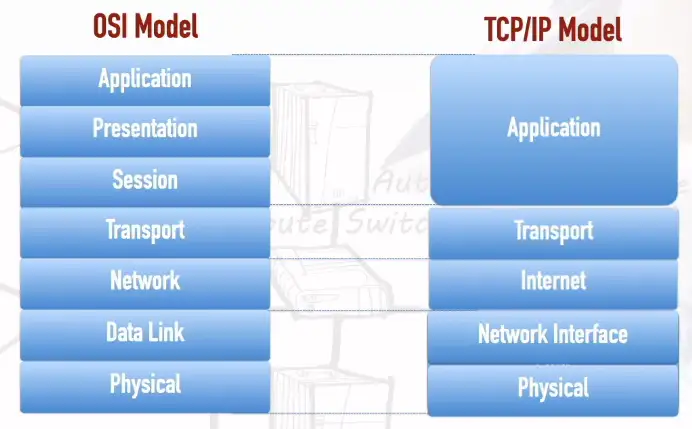
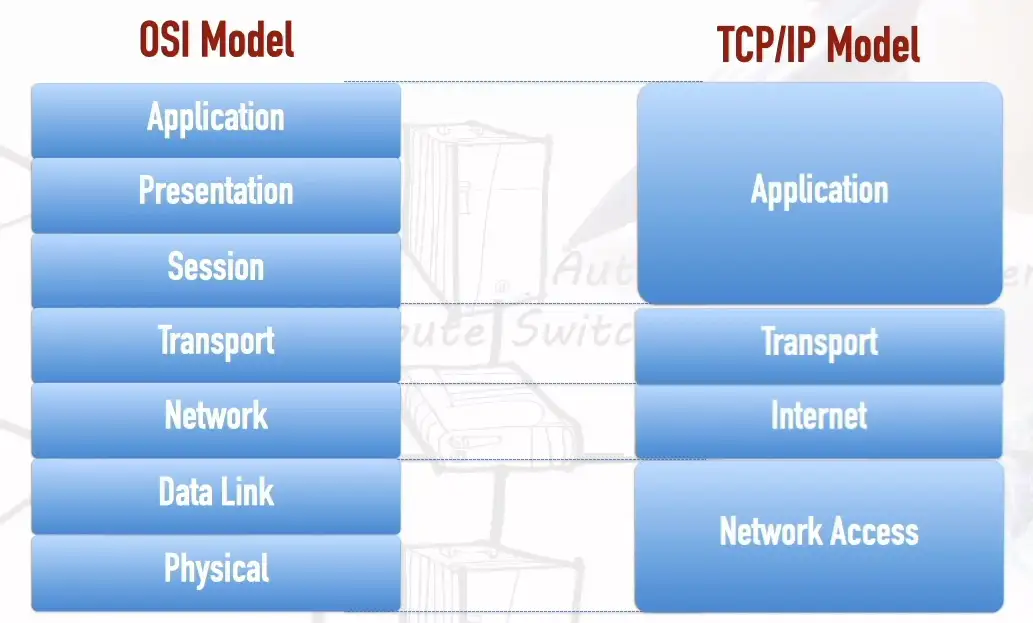
TCP/IP Model
- A model version in which Physical and Data Link Layers become Network Access layer.
- Some variant of this model, Network Access Layer may be called Network Interface layer or Link Layer.
- Network layer becomes Internet layer
- Session, Presentation, Applications layers become single Application layer.
Another variant, in which Physical and Data Link Layers kept intact.
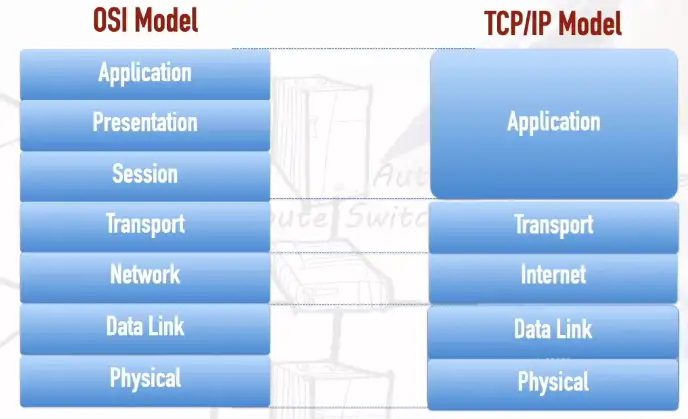
Another variant, may have Data Link as Network Interface Layer: