
An Overview of Key Security Tools
Introduction to Firewalls
Firewalls
“Isolates the organization’s internal net from the larger Internet, allowing some packets to pass, while blocking the others.”
Firewalls – Why?
- Prevent denial-of-service attacks;
- SYN flooding: attacker establishes many bogus TCP connections, no resources left for “real” connections.
- Prevent illegal modification/access of internal data.
- e.g., attacker replaces CIA’s homepage with something else.
- Allow only authorized access to inside network (set of authenticated users/hosts)
- Two types of Firewalls
- Application level
- Packet filtering
Firewalls – Packet Filtering
- Internal network connected to internet via router firewall
- router filters packet-by-packet, decision to forward/drop packet based on;
- source IP address, destination IP address
- TCP/UDP source and destination port numbers
- ICMP message type
- TCP SYNC and ACK bits
Firewalls – Application Gateway
- Filters packets on application data as well as on IP/TCP/UDP fields.
- Allow select internal users to telnet outside:
- Require all telnet users to telnet through gateway.
- For authorized users, the gateway sets up a telnet connection to the destination host. The gateway relays data between 2 connections.
- Router filter blocks all telnet connections not originating from gateway.
- Allow select internal users to telnet outside:
Limitations of firewalls and gateways
- IP spoofing: router can’t know if data “really” comes from a claimed source.
- If multiple app’s need special treatment, each has the own app gateway.
- Client software must know how to contact gateway.
- e.g., must set IP address of proxy in Web Browser.
- Filters often use all or nothing for UDP.
- Trade-off: Degree of communication with outside world, level of security
- Many highly protected sites still suffer from attacks.
Firewalls – XML Gateway
- XML traffic passes through a conventional firewall without inspection;
- All across normal ‘web’ ports
- An XML gateway examines the payload of the XML message;
- Well formed (meaning to specific) payload
- No executable code
- Target IP address makes sense
- Source IP is known
Firewalls – Stateless and Stateful
Stateless Firewalls
- No concept of “state”.
- Also called Packet Filter.
- Filter packets based on layer 3 and layer 4 information (IP and port).
- Lack of state makes it less secure.
Stateful Firewalls
- Have state tables that allow the firewall to compare current packets with previous packets.
- Could be slower than packet filters but far more secure.
- Application Firewalls can make decisions based on Layer 7 information.
Proxy Firewalls
- Acts as an intermediary server.
- Proxies terminate connections and initiate new ones, like a MITM.
- There are two 3-way handshakes between two devices.
Antivirus/Anti-malware
- Specialized software that can detect, prevent and even destroy a computer virus or malware.
- Uses malware definitions.
- Scans the system and search for matches against the malware definitions.
- These definitions get constantly updated by vendors.
An Introduction of Cryptography
- Cryptography is secret writing.
- Secure communication that may be understood by the intended recipient only.
- There is data in motion and data at rest. Both need to be secured.
- Not new, it has been used for thousands of years.
- Egyptians hieroglyphics, Spartan Scytale, Caesar Cipher, are examples of ancient Cryptography.
Cryptography – Key Concepts
- Confidentiality
- Integrity
- Authentication
- Non-repudiation
- Crypto-analysis
- Cipher
- Plaintext
- Ciphertext
- Encryption
- Decryption
Cryptographic Strength
- Relies on math, not secrecy.
- Ciphers that have stood the test of time are public algorithms.
- Mono-alphabetic < Poly-alphabetic Ciphers
- Modern ciphers use Modular math
- Exclusive OR(XOR) is the “secret sauce” behind modern encryption.
Types of Cipher
- Stream Cipher: Encrypt or decrypt, a bit per bit.
- Block Cipher: Encrypt or decrypt in blocks or several sizes, depending on the algorithms.
Types of Cryptography
Three main types;
- Symmetric Encryption
- Asymmetric Encryption
- Hash
Symmetric Encryption
- Use the same key to encrypt and decrypt.
- Security depends on keeping the key secret at all times.
- Strengths include speed and Cryptographic strength per a bit of key.
- The bigger the key, the stronger the algorithm.
- Key need to be shared using a secure, out-of-band method.
- DES, Triples DES, AES are examples of Symmetric Encryption.
Asymmetric Encryption
- Whitefield Diffie and Martin Hellman, who created the Diffie-Hellman. Pioneers of Asymmetric Encryption.
- Uses two keys.
- One key ban be made public, called public key. The other one needs to be kept private, called Private Key.
- One for encryption and one for decryption.
- Used in digital certificates.
- Public Key Infrastructure – PKI
- It uses “one-way” algorithms to generate the two keys. Like factoring prime numbers and discrete logarithm.
- Slower than Symmetric Encryption.
Hash Functions
- A hash function provides encryption using an algorithm and no key.
- A variable-length plaintext is “hashed” into a fixed-length hash value, often called a “message digest” or simply a “hash”.
- If the hash of a plaintext changes, the plaintext itself has changed.
- This provides integrity verification.
- SHA-1, MD5, older algorithms prone to collisions.
- SHA-2 is the newer and recommended alternative.
Cryptographic Attacks
- Brute force
- Rainbow tables
- Social Engineering
- Known Plaintext
- Known ciphertext
DES: Data Encryption Standard
- US encryption Standard (NIST, 1993)
- 56-bit Symmetric key, 64-bit plaintext input
- How secure is DES?
- DES Challenge: 56-bit-key-encrypted phrase (“Strong Cryptography makes the world a safer place”) decrypted (brute-force) in 4 months
- No known “back-doors” decryption approach.
- Making DES more secure
- Use three keys sequentially (3-DES) on each datum.
- Use cipher-block chaining.
AES: Advanced Encryption Standard
- New (Nov. 2001) symmetric-key NIST standard, replacing DES.
- Processes data in 128-bit blocks.
- 128, 192, or 256-bit keys.
- Brute-force decryption (try each key) taking 1 sec on DES, takes 149 trillion years for AES.
First look at Penetration Testing and Digital Forensics
Penetration Testing – Introduction
- Also called Pentest, pen testing, ethical hacking.
- The practice of testing a computer system, network, or application to find security vulnerabilities that an attacker could exploit.
Hackers
- White Hat
- Grey Hat
- Black Hat
Threat Actors
“An entity that is partially or wholly responsible for an incident that affects or potentially affects an organization’s security. Also referred to as malicious actor.”
- There are different types;
- Script kiddies
- Hacktivists
- Organized Crime
- Insiders
- Competitors
- Nation State
- Fancy Bear (APT28)
- Lazarous Group
- Scarcruft (Group 123)
- APT29
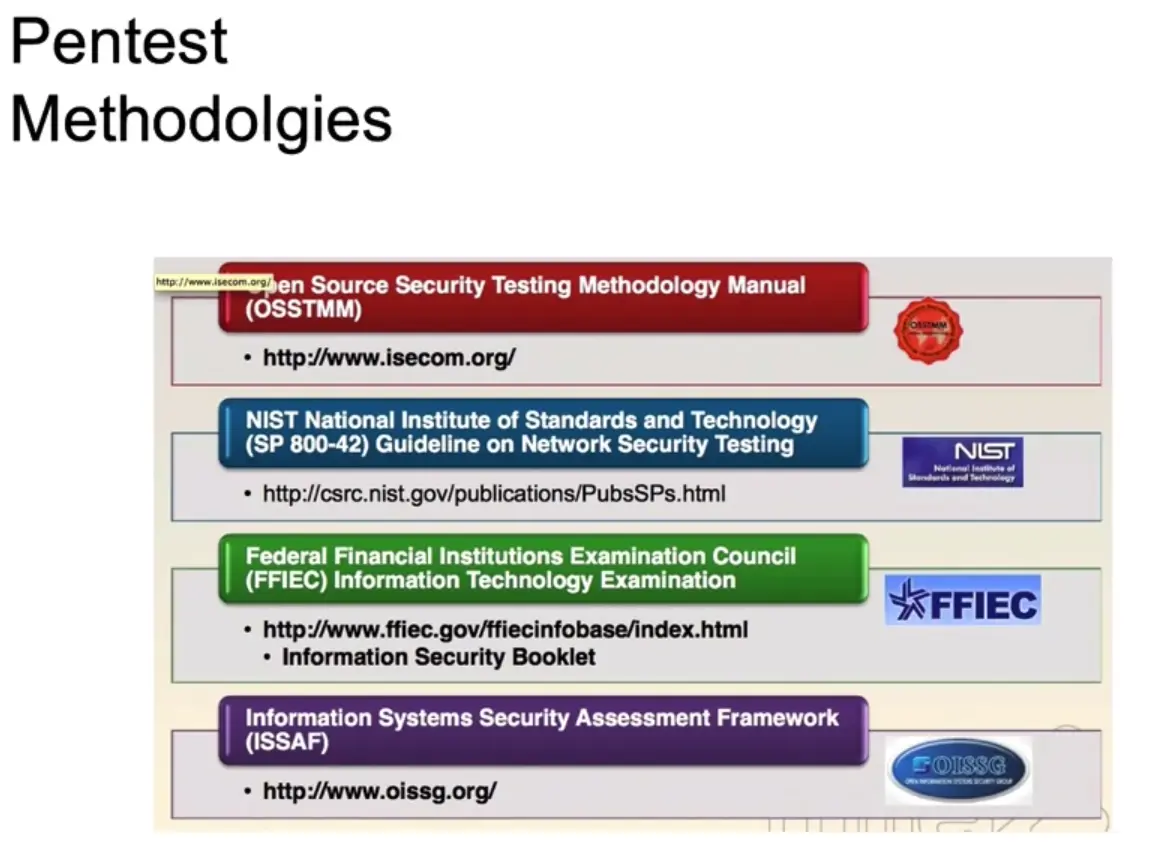
Pen-test Methodologies
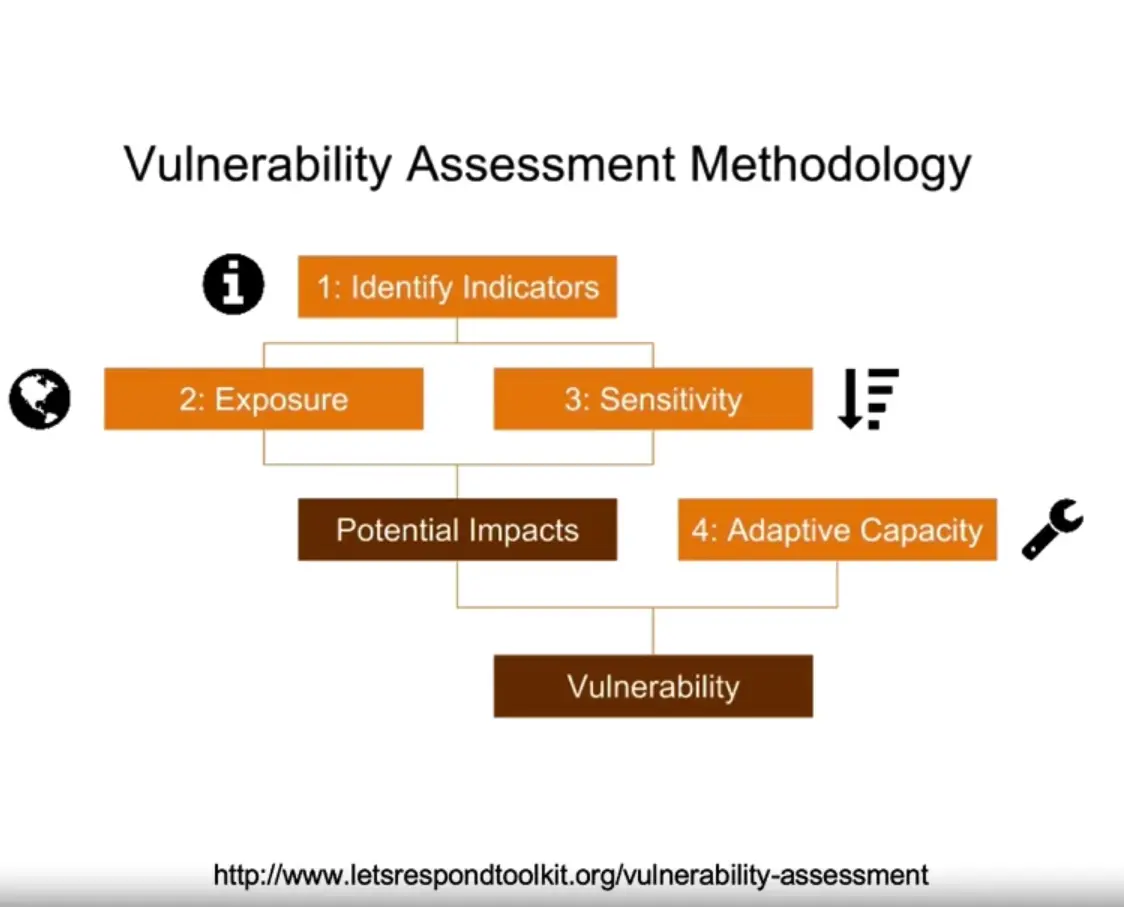
Vulnerability Tests
What is Digital Forensics?
- Branch of Forensics science.
- Includes the identification, recovery, investigation, validation, and presentation of facts regarding digital evidence found on the computers or similar digital storage media devices.
Locard’s Exchange Principle
DR. Edmond Locard; “A pioneer in Forensics science who became known as the Sherlock Holmes of France.”
- The perpetrator of a crime will bring something into the crime scene and leave with something from it, and that both can be used as Forensic evidence.
Chain of Custody
- Refers to the chronological documentation or paper trail that records the sequence of custody, control, transfer, analysis, and disposition of physical or electronic evidence.
- It is often a process that has been required for evidence to be shown legally in court.
Tools
- Hardware
- Faraday cage
- Forensic laptops and power supplies, tool sets, digital camera, case folder, blank forms, evidence collection and packaging supplies, empty hard drives, hardware write blockers.
- Software
VolatilityFTK(Paid)EnCase(Paid)ddAutopsy(The Sleuth Kit)Bulk Extractor, and many more.