Network Access
VPNs
Virtual Private Networks
- Encrypted (private) data transversing a public network
- Allows clients to connect to any Internet connection
- Securely use a web browser (e.g., Clientless Cisco SSL VPN)
- Install a software client (e.g., Cisco AnyConnect SSL VPN)
- NOTE: A Split Tunnel (as opposed to a Full Tunnel) can be used to keep local traffic from flowing over the VPN
Concentrator
- Encryption/Decryption access device
- Often integrated into a firewall
Many deployment options
- Specialized cryptographic hardware
- Software-based options available
Used with client software
- Sometimes built into the OS
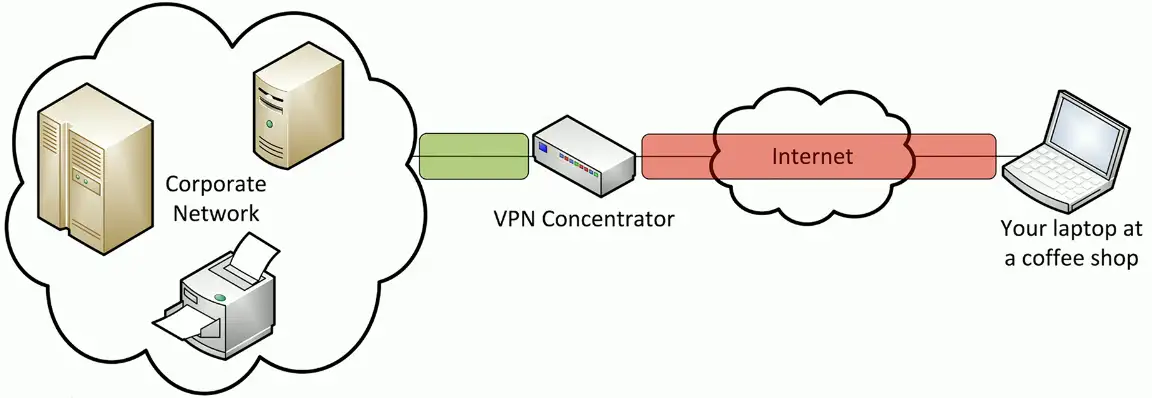
Client-to-site VPN
On-demand access from a remote device
- Software connects to a VPN concentrator
Some software can be configured as always-on
Site-to-site VPN
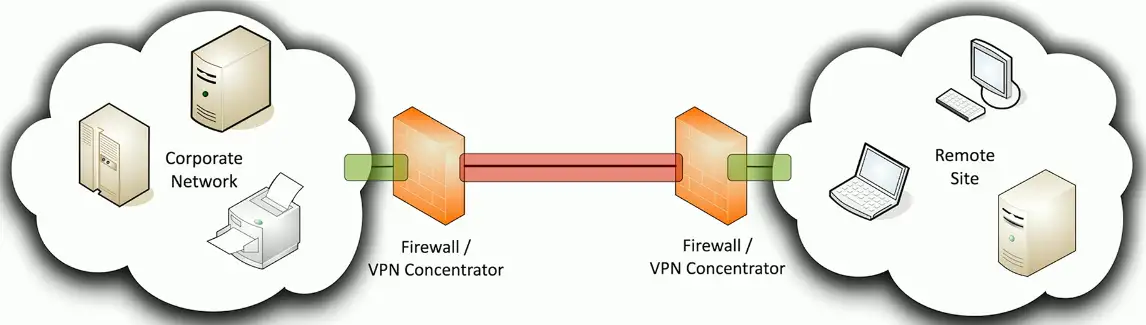
Always-on
- Or almost always
Firewalls often act as VPN concentrators
- Probably already have firewalls in place
- Can use common broadband technologies
- Transparent to the client devices
- Can use routers or dedicated VPN concentrators
Clientless VPNs
HyperText Markup Language version 5
- The language commonly used in web browsers
Includes comprehensive API support
- Application Programming Interface
- Web cryptography API
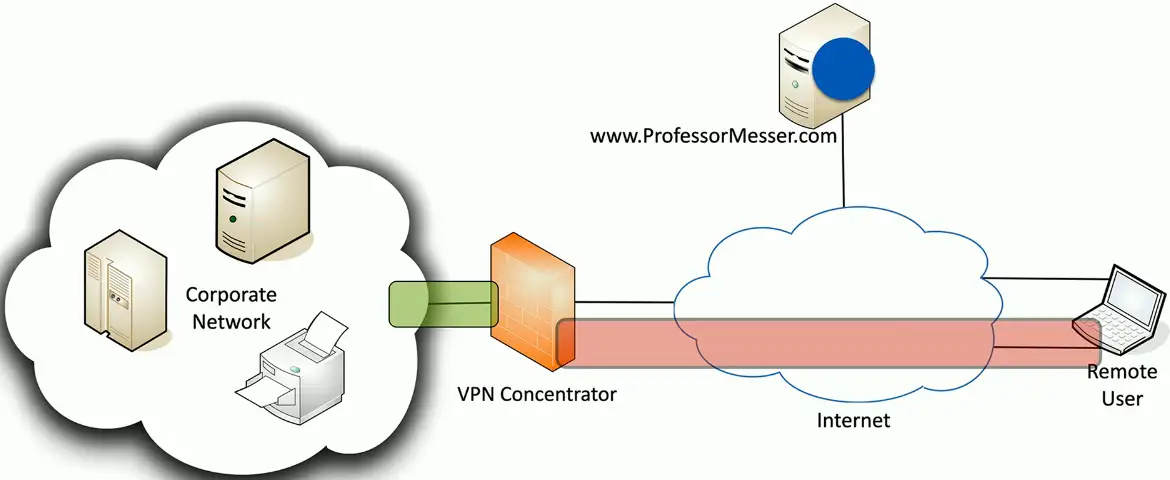
Create a VPN tunnel without a separate VPN application
- Nothing to install
Use an HTML5 compliant browser
- Communicate directly to the VPN concentrator
Split Tunnel vs. Full Tunnel
Full Tunnel
- All traffic is sent through the VPN tunnel
- The client makes no additional forwarding decisions
- May require additional routing at the concentrator
Split Tunnel
- VPN traffic is sent through the tunnel
- Non-VPN traffic is sent normally
- Configured in the VPN software
VPN Routing Protocols
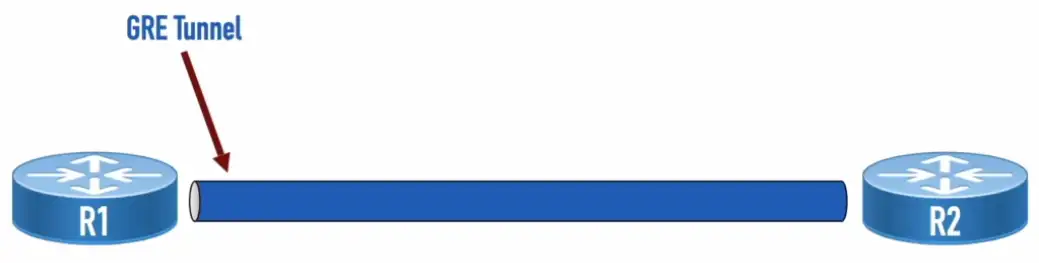
Generic Routing Encapsulation (GRE)
- Doesn’t provide security
- Can encapsulate nearly any type of data
IP Security (IPsec)
- Provides
- Confidentiality: Encryption
- Integrity: Hashing
- Authentication: PSKs or Digital Signatures
- Anti-replay: Applies Serial Numbers to Packets
- Can encapsulate unicast IP packets
- Two modes
- Transport Mode: Uses Packet’s orignal header
- Tunnel Mode: Encapsulates entire packet
- Authentication and Encryption
- Authentication Header (AH): Authenticates an entire IP packet, including the outer IP header but doesn’t do encryption
- Encapsulating Security Protocol (ESP): Can authenticate an IP packet (not including the IP header), and can perform encryption
- Setup Steps
- Step #1: Establish an Internet Key Exchange (IKE) Phase 1 tunnel (a.k.a. Internet Security Association and Key Management Protocol [ISAKMP] tunnel)
- Step #2: Establish IKE Phase 2 Tunnel
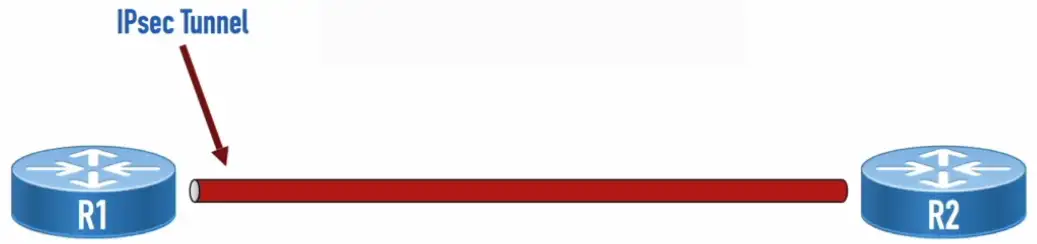
GRE over IPsec
- GRE encapsulates nearly any traffic type into GRE packets, which are unicast IP packets
- The GRE packets are protected over the IPsec tunnel

Dynamic Multipoint Virtual Private Network (DMVPN)
- Multipoint GRE (mGRE): Allows a single interface to support multiple GRE tunnels
- Next Hop Resolution Protocol (NHRP): Used to discover the IP address of the device at the far-end of a tunnel
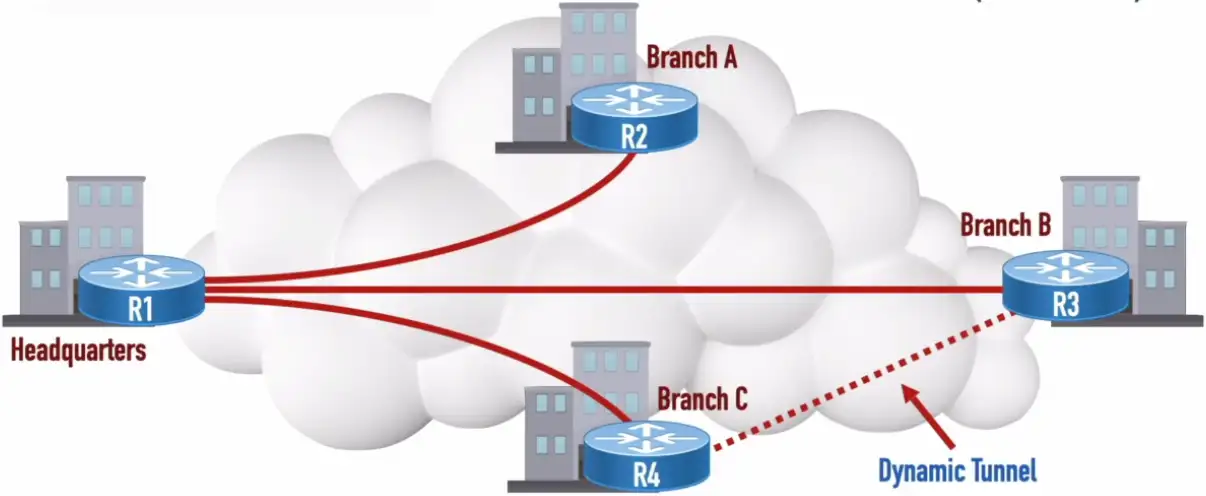
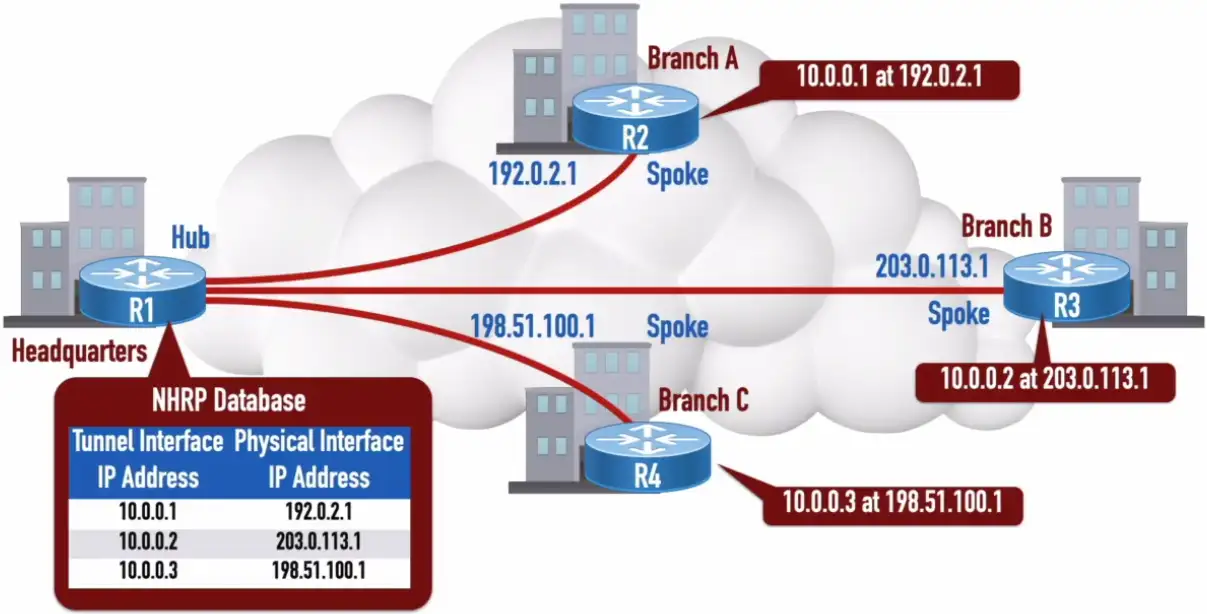
Let’s R4 wants to communicate with R3:
- It will send an NHRP Query to the Headquarters
- (1) What physical interface’s IP address is associated with a tunnel interface’s IP address of 10.0.0.2?
- Headquarter will send back an NHRP reply
- (2) 10.0.0.2 is at 203.0.113.1
- (3) Tunnel formation from R4 to R3
Voice over IP (VoIP)
Private Branch Exchange: A privately owned phone system used in large organizations (NOTE: Key systems were privately owned phone systems for smaller installations)
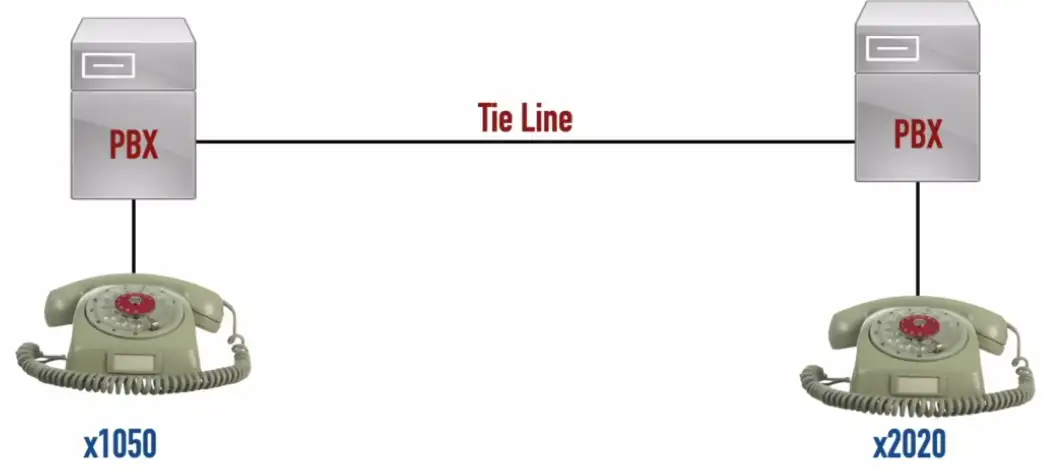
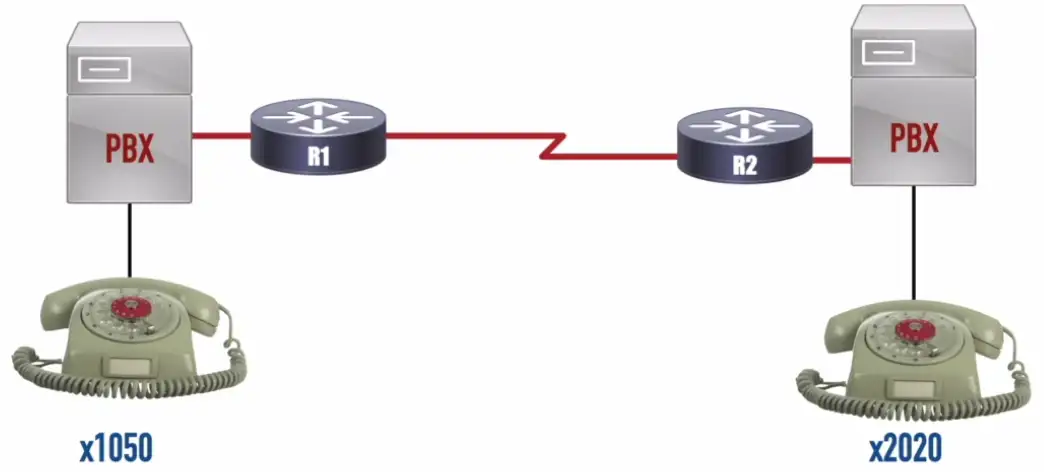
Keeping old PBX hardware, companies can add routers to have VoIP functionality.
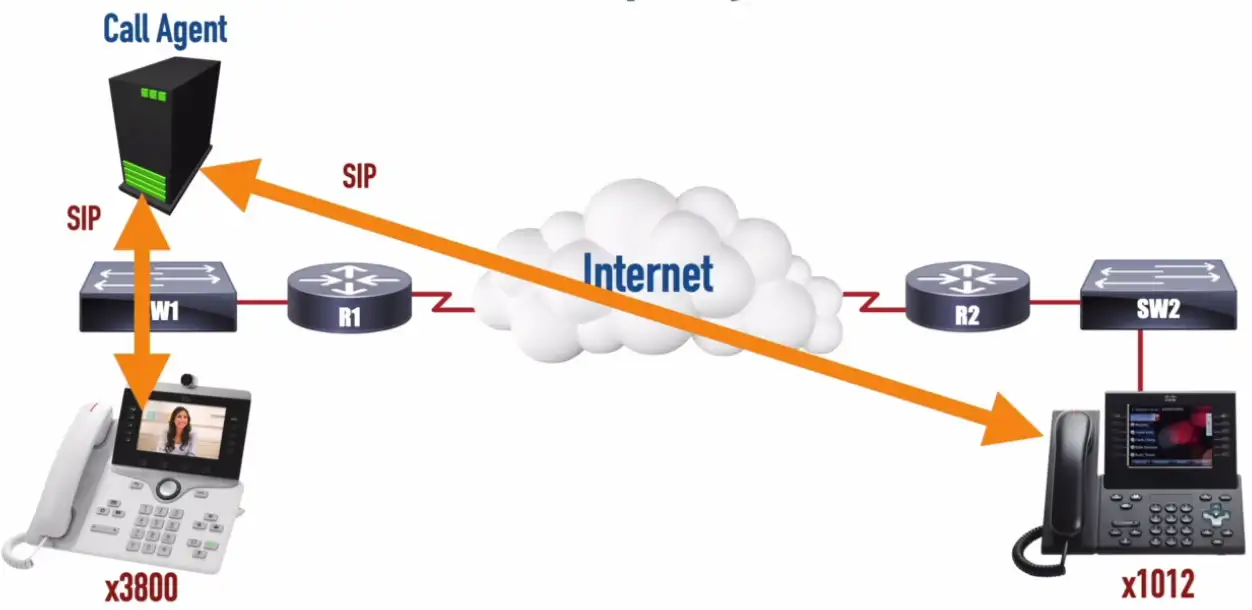
IP Telephony
Real-time Transport Protocol (RTP): A Transport Layer protocol that carries voice and video media.
Remote Access
SSH (Secure Shell)
Encrypted console communication - tcp/22
Looks and acts the same as Telnet - tcp/23
Graphical User Interface (GUI)
Share a desktop from a remote location
- It’s like you’re right there
RDP (Microsoft Remote Desktop Protocol)
- Clients for macOS, Linux, and others as well
VNC (Virtual Network Computing)
- Remote Frame Buffer (RFB) protocol
- Clients for many OSes
- Many are open source
Commonly used for technical support
- And for scammers
API Integration
Control and manage devices
- Hundreds of firewall, routers, switches, and servers
- Log in to each device and make changes manually
Automate the command line
- Bath processes
- Very little control or error handling
Application programming interfaces (APIs)
- Interact with third-party devices and services
- Cloud services, firewalls, operating systems
- Talk their language
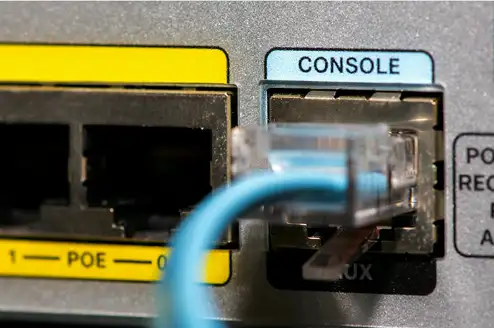
Console
Directly connect to the device
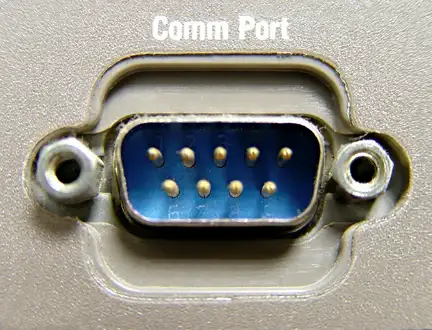
- Traditionally a serial connection
- DB9 connector, RJ45 serial, USB connection
When all else fails
- The console will be available
A text-based serial interface
- The console
Requires a serial or USB connection
- May need a USB to DB9 serial adapter
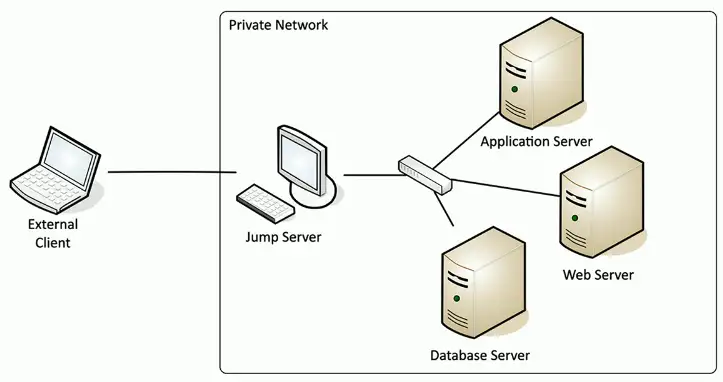
Jump-Box
Access secure network zones
- Provides an access mechanism to a protected network
Highly-secured device
- Hardened and monitored
SSH/Tunnel/VPN to the jump server
- RDP, SSH, or jump from there
A significant security concern
- Compromise of the jump server is a significant breach
In-band Management
Assign an IP address to a device
- Switch, router, firewall, etc.
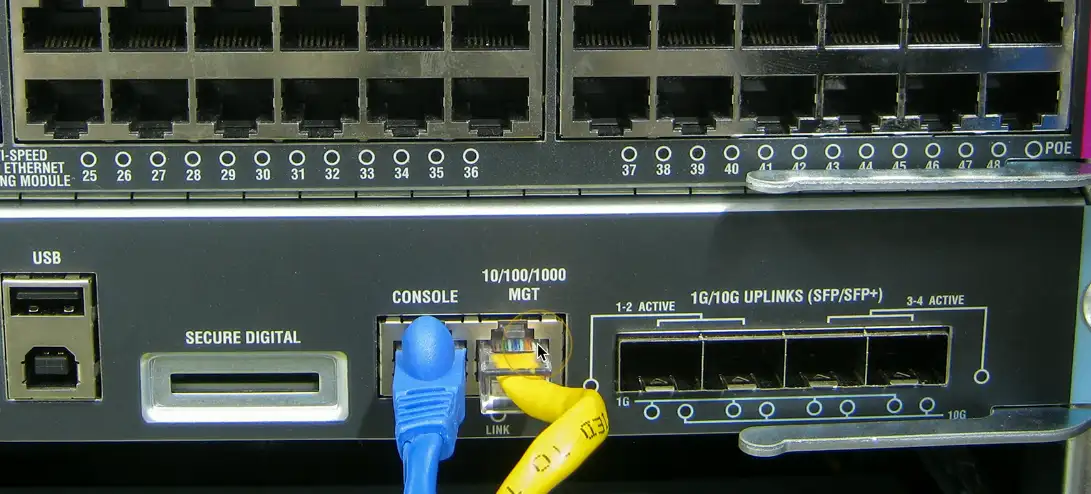
Maybe a separate Ethernet interface
- Often marked on the device
May be accessible from any connected device
- The IP address is inside the device
Access the device
- SSH
- Browser-based console
Out-of-band management
The network isn’t available
- Or the device isn’t accessible from the network
Most devices have a separate management interface
- Usually a serial connection/USB
Connect a modem to manage
- Or cable, DSL, satellite, etc.
Console router/ comm server
- Out-of-band access for multiple devices
- Connect to the console router, then choose where you want to go