Network Topologies
Network Topologies
Useful in planning a new network
- Physical layout of a building or campus
Assists in understanding signal flow
- Troubleshooting problems
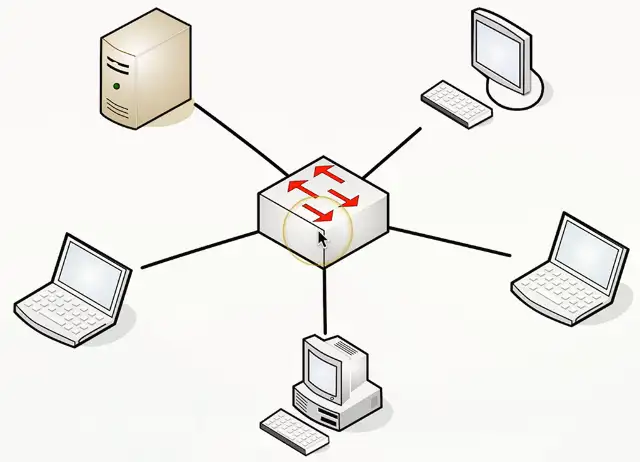
Star/Hub and Spoke Topology
Used in most large and small networks
All devices are connected to a central device
Switched Ethernet networks
- The switch is in the middle
- If one link fails, other links continue to function
- Centralized device is a potential single point of failure
- Popular in modern networks
Mesh Topology
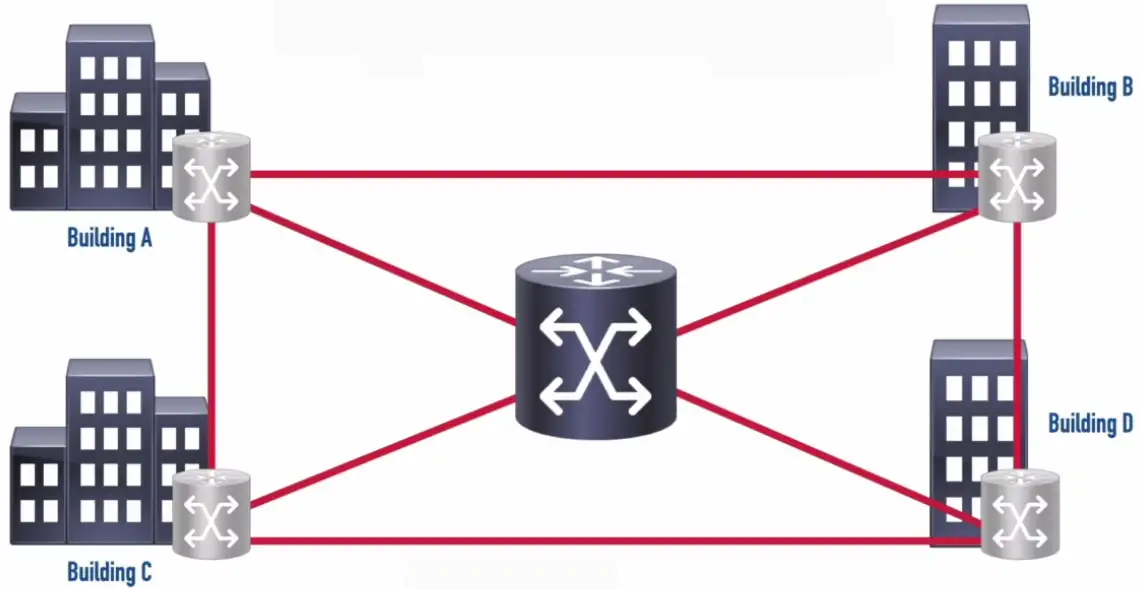
Full Mesh: A topology where each site connects to every other site.
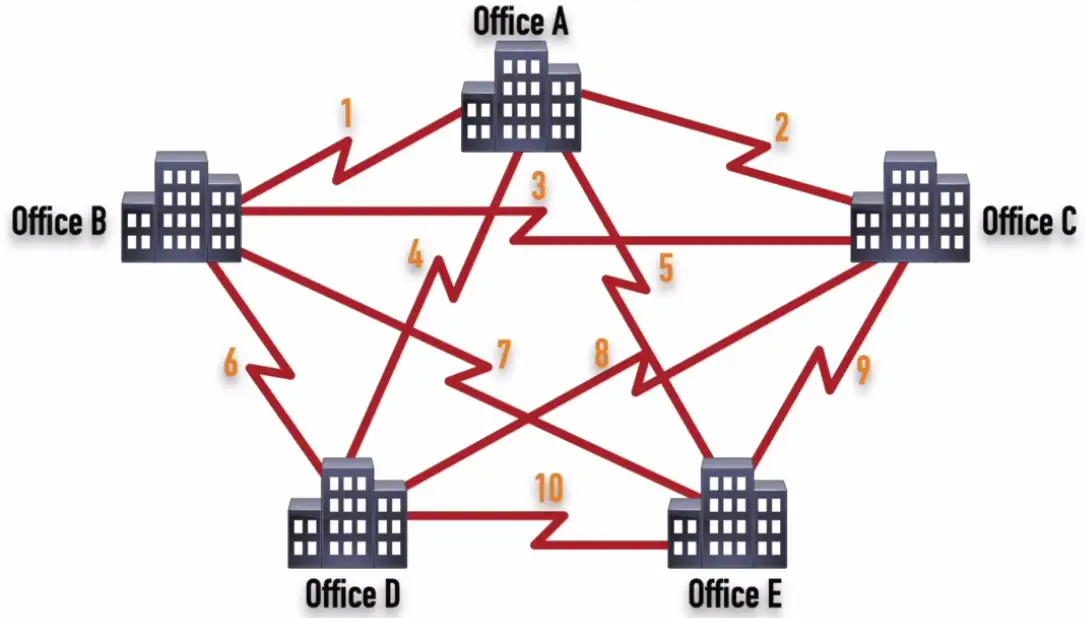
Number of Links (Full Mesh) = n * (n-1)/2
Partial Mesh: A topology where each site connects to at least one other site, but might optionally connect to other sites.
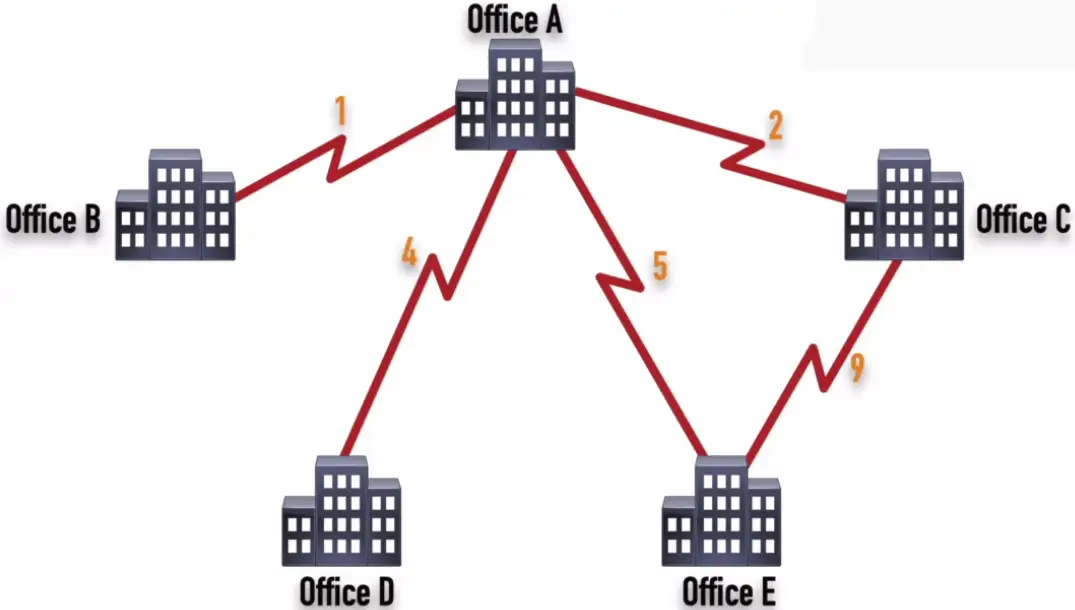
Multiple links to the same place
- Fully connected
- Partially connected
Redundancy, fault-tolerance, load balancing
Used in wide area networks (WANs)
- Fully meshed and partially meshed
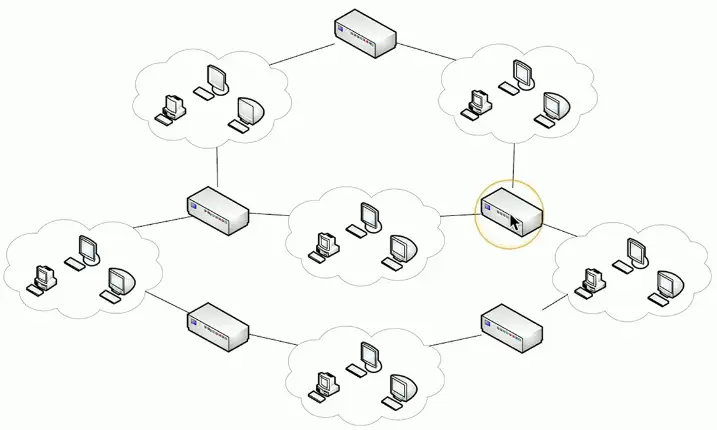
| Full Mesh | Partial Mesh |
|---|---|
| Optimal Path | Might be Suboptimal Path |
| Not Scalable | More Scalable |
| More Expensive | Less Expensive |
Ring Topology
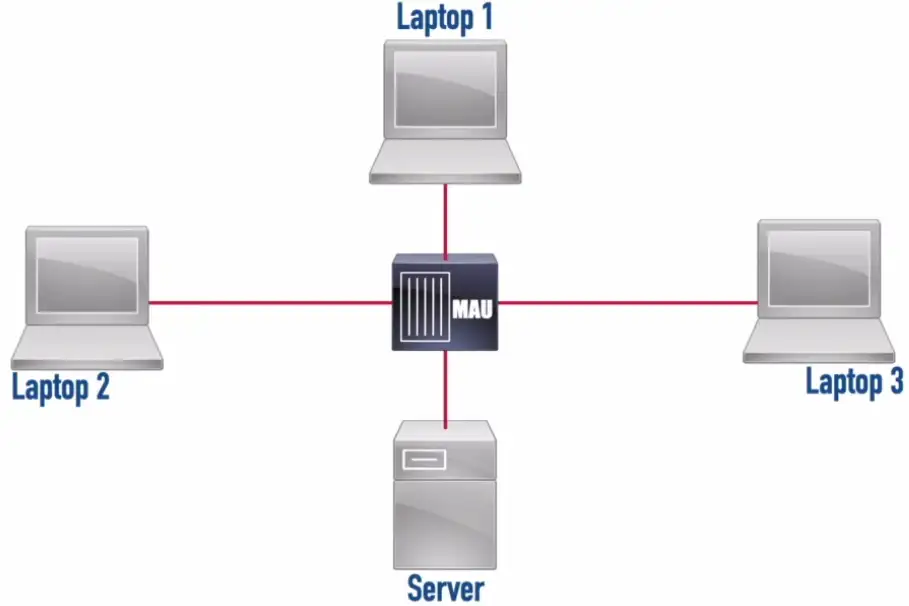
Token Ring: A legacy LAN technology that used a ring topology and had bandwidth options of 4 Mbps or 16 Mbps.
- It uses token ring to pass data around in the ring, instead of CSMA/CD for avoiding packet collisions.
- Laptop sends the data in the token ring, the next device receives the token, examines it, and determines it’s not for me. The next device in the ring, gets it, and find out the data is for me. Get the data from the token, leaving it empty.
- Token is ready to send new data.
Fiber Distributed Data Interface (FDDI): A legacy LAN technology that operated at 100 Mbps and used two counter-rotating rings (to provide fault tolerance) and used fiber optic cabling for its transmission.
**Media Access Unit (MAU):**A Token Ring network component that allowed devices to physically interconnect using a star topology while logically operating in a ring topology.
Bus Topology
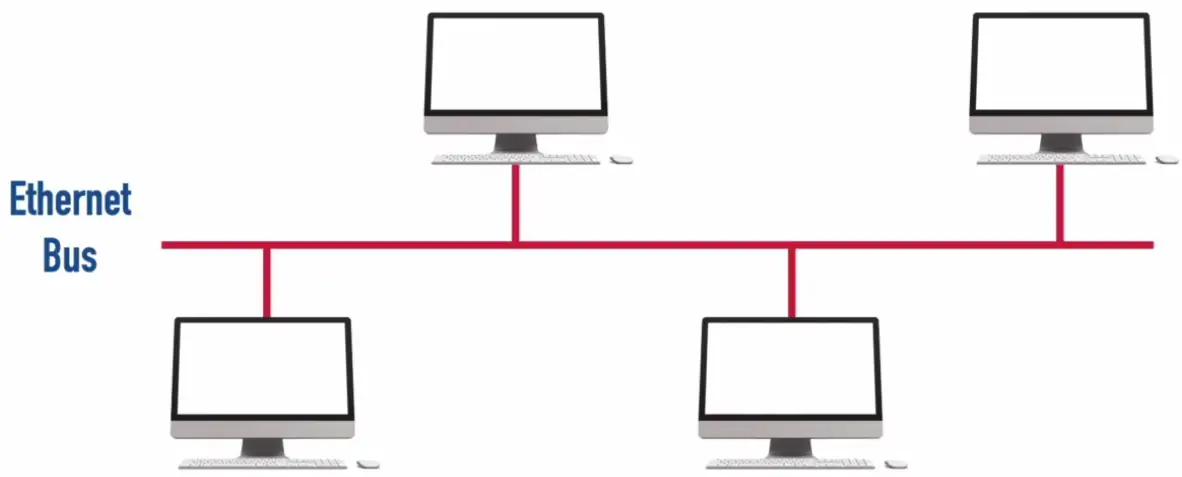
One of the earlier topology, used to run using co-axial cable.
10BASE2 (a.k.a. “thinnet”): An older Ethernet technology using a thin coaxial cable that had a distance limitation of 185m and a bandwidth of 10 Mbps.
10BASE5 (a.k.a. “Thicket”): An older Ethernet technology using a thick coaxial cable that had a distance limitation of 500m and a bandwidth of 10 Mbps.
- Uses Ethernet Bus, only packet can be sent at a time.
- Collision is avoided with CSMA/CD
- The spike in voltage indicates the collision, so the packet should be resent.
- Future avoidance of collision is done by setting random back off timer for each device on the Bus.
- Physically bus topology has a hub in the center, and make a star topology, but logically it acts a bus topology.
Point-to-point
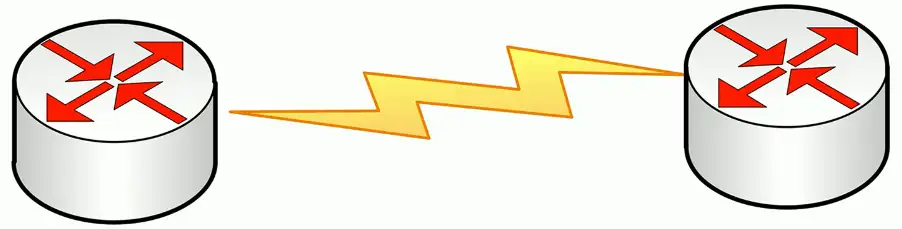
One-to-one connection
- Interconnect two devices only
- Typically, uses a layer 2 protocol
- Could be a physical point-to-point connection
- Could be a logical point-to-point connection
Point-to-Point Protocol (PPP): A Layer 2 protocol offering a collection of features including support for multiple upper-layer protocols (e.g., IPv4 and IPv6) and bonding multiple physical links into a single logical link.
Older WAN links
- Point to point T-1
PPP Features:
- Authentication
- Compression
- Error Detection and Correction Multiple links
PAP (Password Authentication Protocol): Sends login credentials (typically in clear text) across the network.
CHAP (Challenge Handshake Authentication Protocol): Sends a hash of login credentials across the network.
MLP (Multilink PPP): Bundles multiple physical links into a single logical link, which improves throughput.
Connections between buildings
Point-to-Multipoint Topology
Data Link Connection Identifier (DLCI): Identifies a Permanent Virtual Circuit (PVC) in a Frame Relay network.
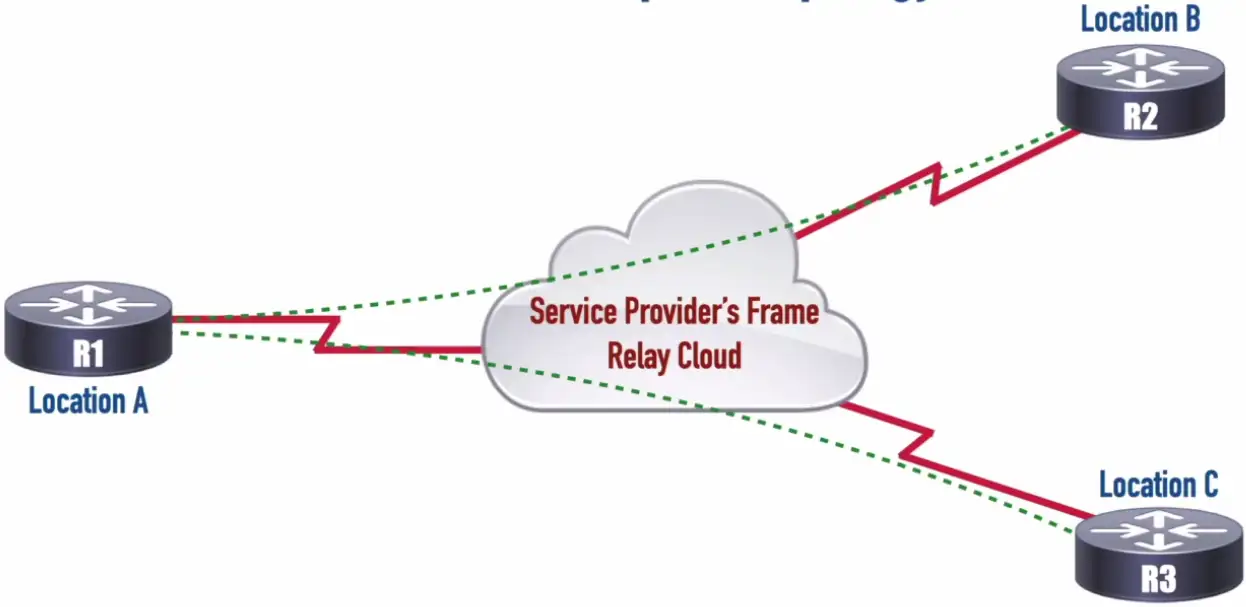
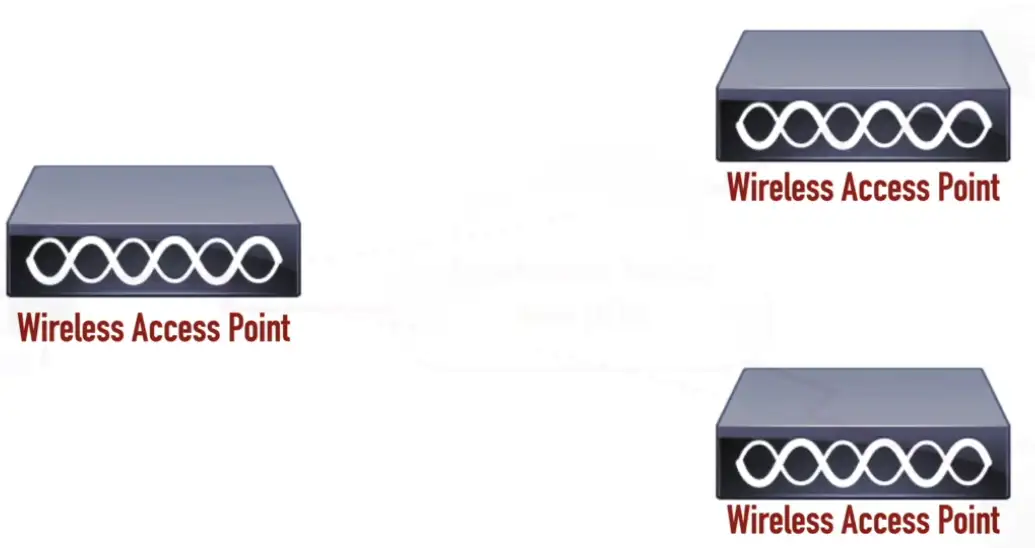
Maybe between WAPs
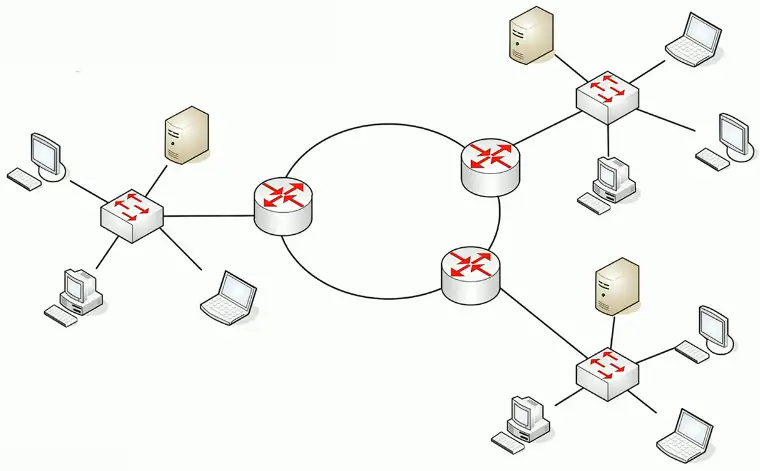
Hybrid Topology
A combination of one or more physical topologies
- Most networks are a hybrid
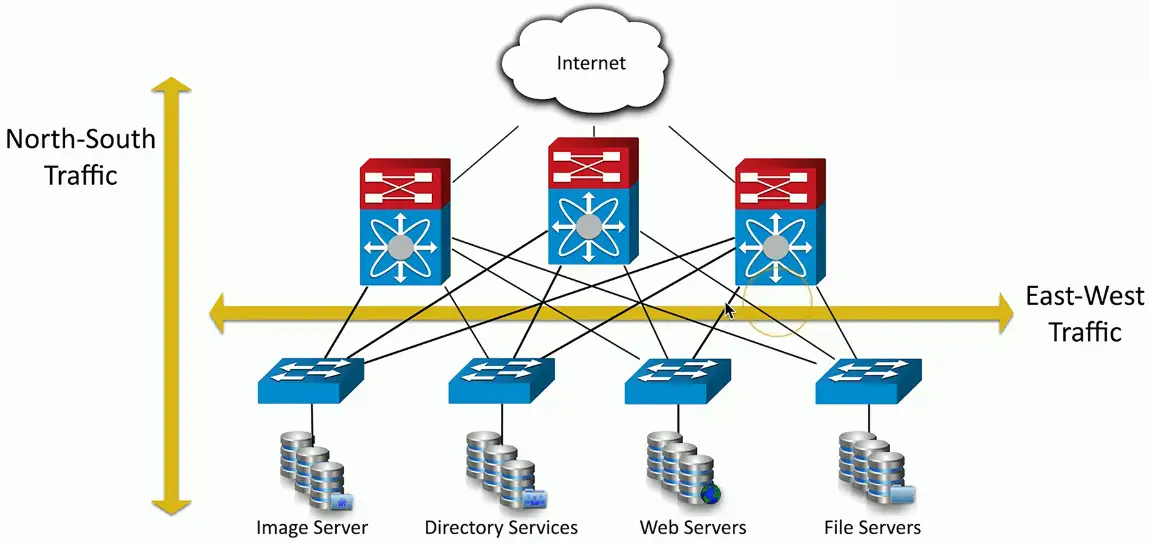
Spine and Leaf Architecture
Each leaf switch connects to each spine switch
- Each spine switch connects to each leaf switch
Leaf switches don’t connect to each other
- Same for spine switches
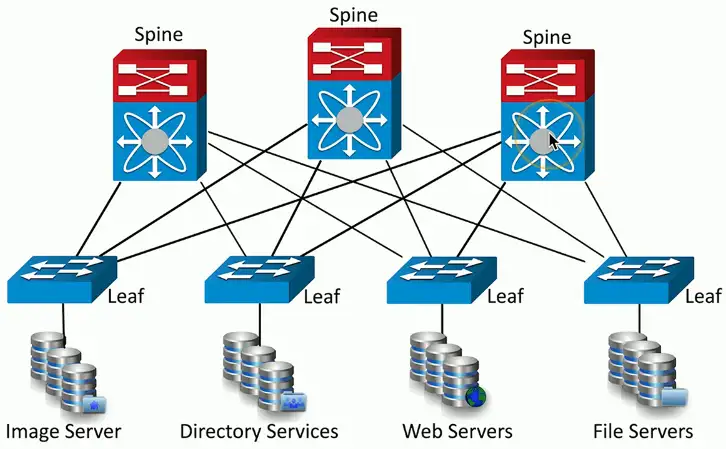
Top-of-rack switching
- Each leaf is on the “top” of a physical network rack
- May include a group of physical racks
Advantages
- Simple cabling
- Redundant
- Fast
Disadvantages
- Additional switches may be costly
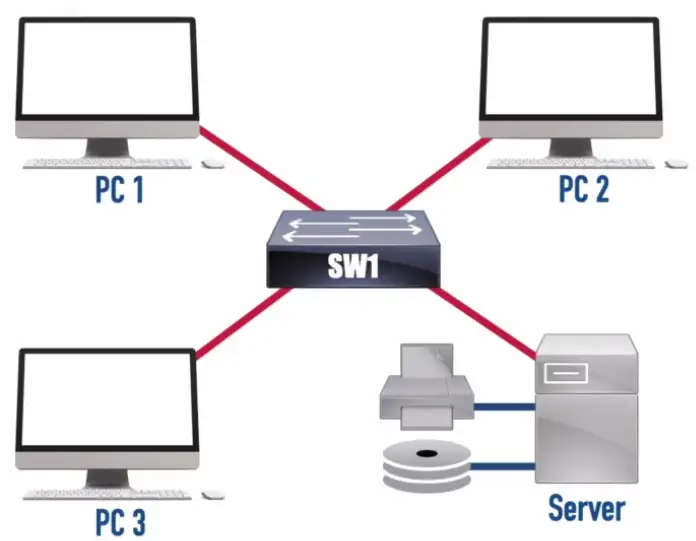
Client-Server Network
- Also known as Client-Server Architecture
- Clients access a common server
- Server shares resources (e.g., file and printer resources with clients)
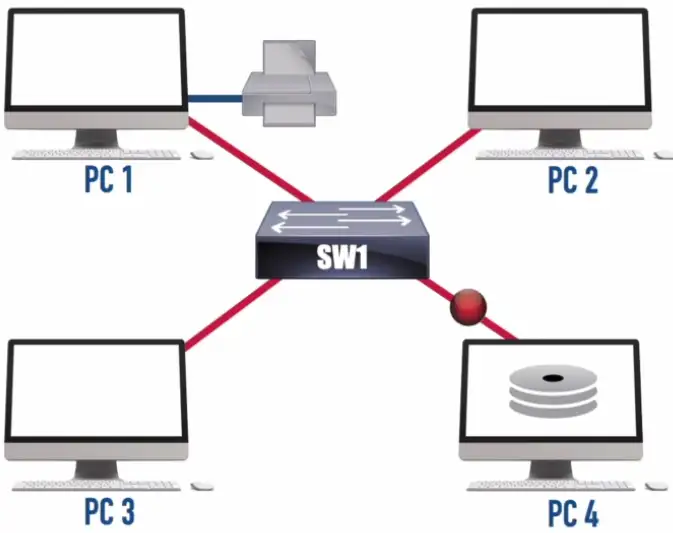
Peer-to-Peer Network
- Also known as Peer-to-Peer Architecture
- Clients share resources directly on a local network with other peers (e.g., file and printer resources)
- Not as robust as using a network operating system (NOS)
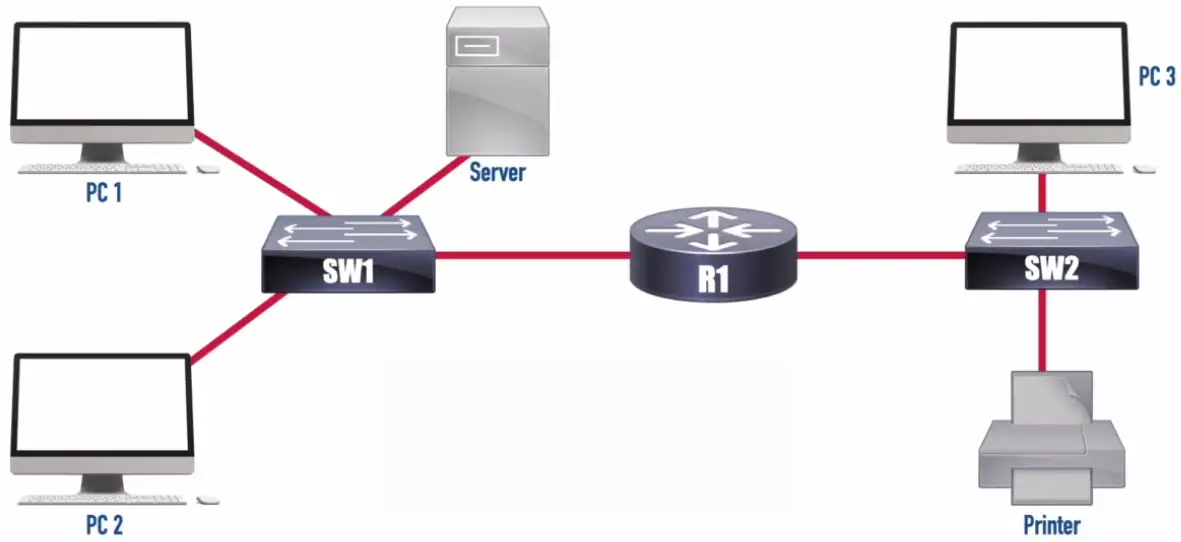
Local Area Network (LAN)
- High speed
- Centrally Located
Wide Area Network (WAN)
-
Typically slower speed than LANs
-
Geographically dispersed sites
-
Sites connect to service provider
-
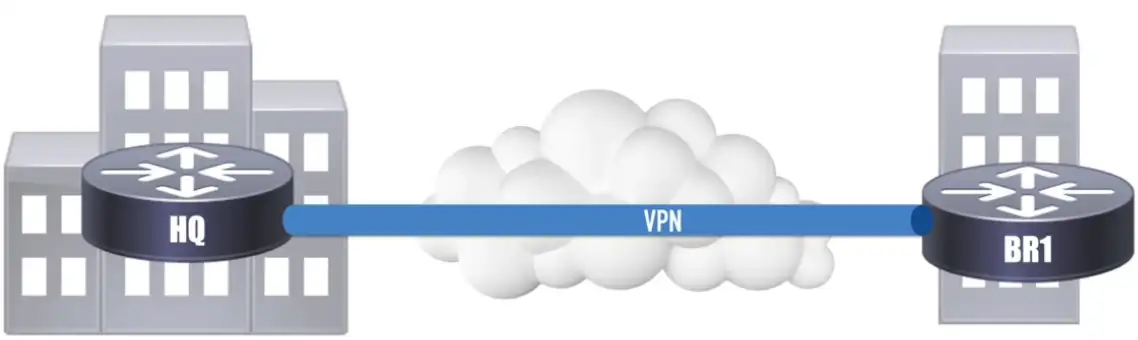
Privacy and security concerns by sending data unprotected over the wire.
-
Solid line, always online connection
-
Dotted line, brought online on demand
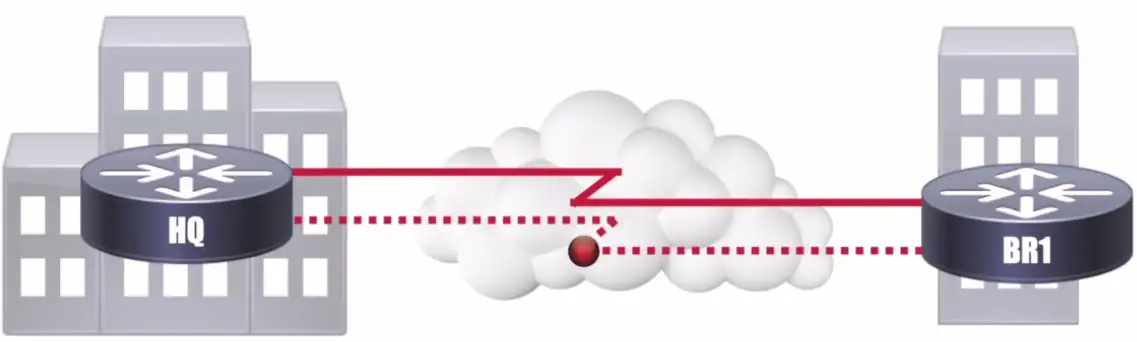
Today’s replacement for WAN circuit, is VPN, which connects two sites via an encrypted tunnel.
- Speeds maybe slower than WANs, but are improving
Metropolitan Area Network (MAN)
- Limited Availability
- Very High Speed
- Redundant
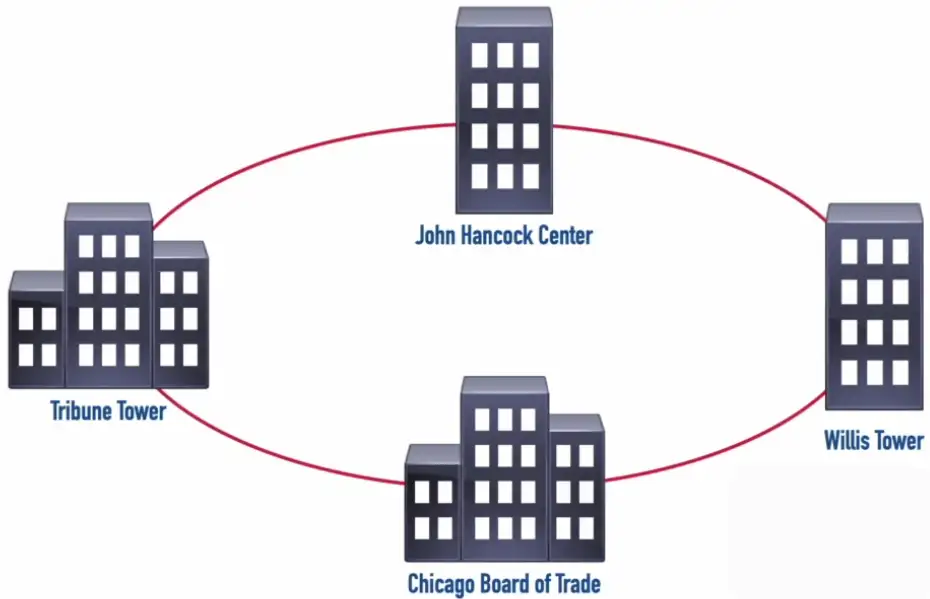
- Typical Ring Topology
- To separate different customers traffic, the ISPs use different wavelength for each customer called Lambda.
- If one link fails, we still able to reach other sites connected to MAN due to redundant topology.
Each wavelength is called a Lambda.
Campus Area Network (CAN)
- High speed
- Interconnects Nearby Buildings
- Easy to Add Redundancy
Personal Area Network (PAN)
- Interconnects two devices
- Limited distance
- Limited throughput
E.g., two devices connected via Bluetooth/Zigbee, IR etc.
Wireless LAN (WLAN)
- Adds flexibility and mobility for connections
- Wireless clients typically communicate with a wireless access point (AP)
- Channels should be selected to minimize interference
Software-Defined WAN (SD-WAN)
Traditional WAN Connections
- Connected remote sites back to a central site over various WAN technologies
- Predictable performance and security
- Traffic backhauling might be required
Modern SD-WAN Connections
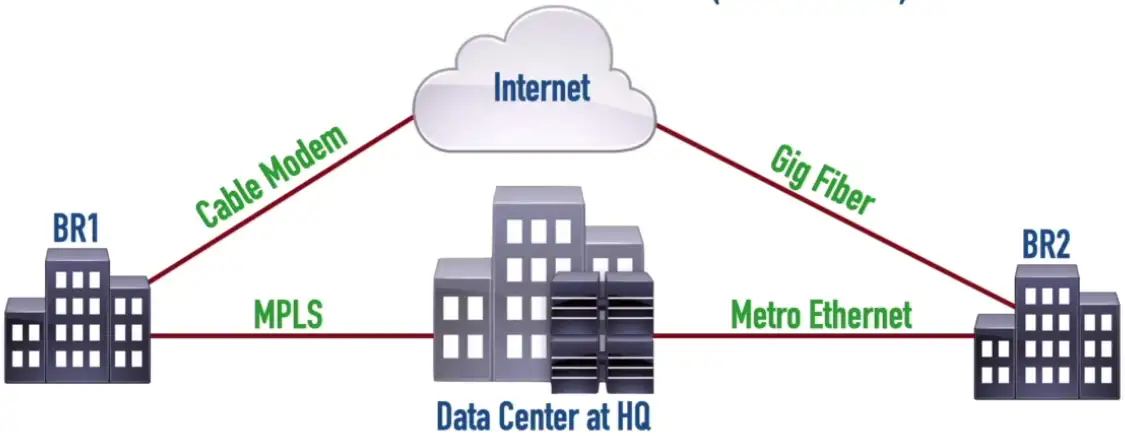
- Applications are migrating to the cloud
- Provides security, QoS, and forwarding
- Traffic backhauling no longer required
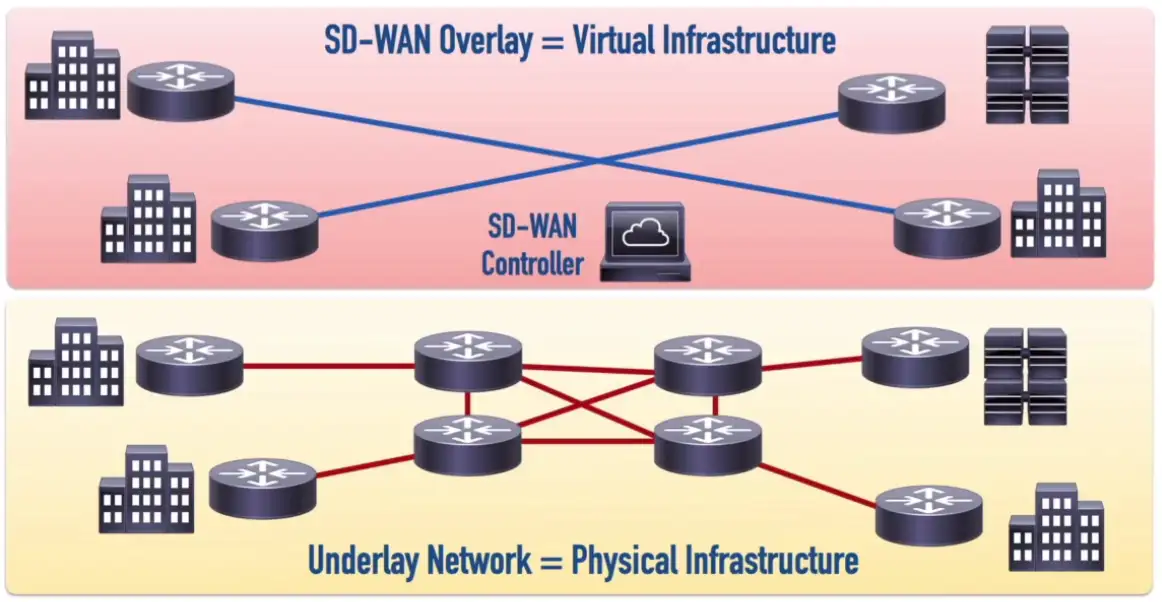
- The Control Plane functions are decoupled from the routers and performed by the SD-WAN Controller
- Physical WAN connections can use a wide variety of technologies (e.g., 4G and 5G Cellular Data, MPLS, or Cable Modem)
- SD-WAN controller can simultaneously send out appropriate configuration commands to routers to provide consistent QoS, security, and predictable performance
Industrial Control Systems (ICS) and SCADA
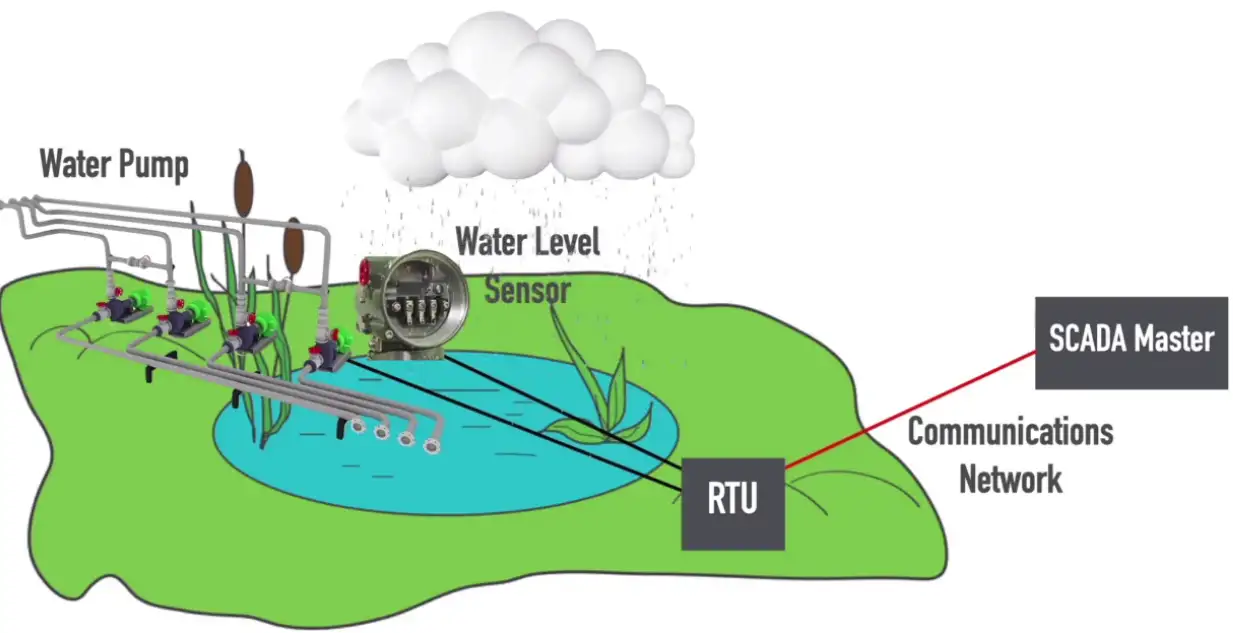
SCADA–Supervisory Control And Data Acquisition
Sensor: A SCADA component that detects a specific characteristic (e.g., temperature, water level, etc.) of a system
Control: A SCADA component that can alter a condition (e.g., temperature, water level, etc.)
Remote Telemetry Unit (RTU): A SCADA component that can receive information from a SCADA sensor and send instructions to a SCADA control.
SCADA Master: A SCADA component that uses a communications network to receive information from one or more RTUs and send instructions to those RTUs.
Network Architectures
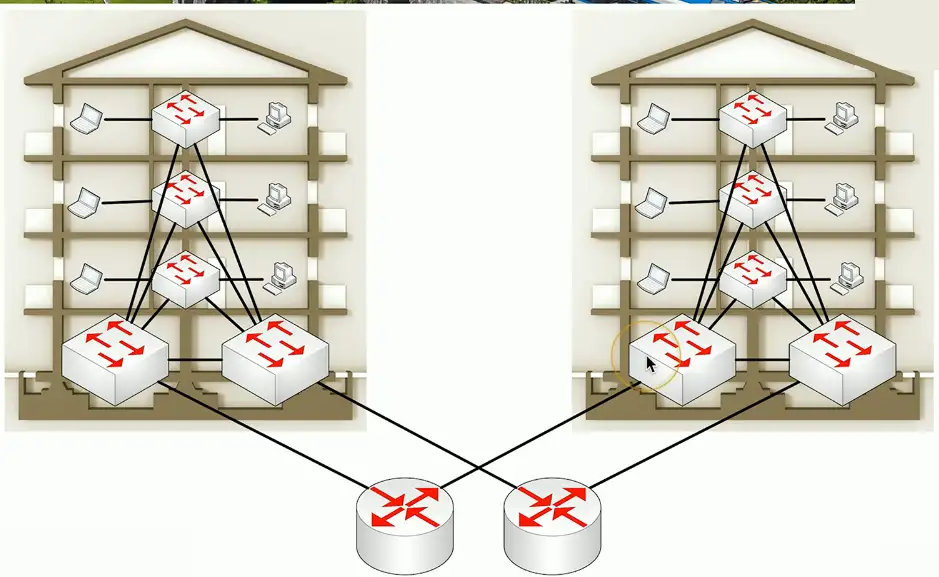
Three-tier architecture
Core
- The “center” of the network
- Web servers, databases, applications
- Many people need access to this
Distribution
- A midpoint between the core and the users
- Communication between access switches
- Manage the path to the end users
Access
- Where the users connect
- End stations, printers

Collapsed Core
A two-tier model
- Simplify the three-tier architecture
- A good fit for smaller organizations
Combine Core and Distribution layers
- Collapse together
Differences over three-tier
- Simpler to design and support
- Less expensive to implement
- Not as resilient
Traffic Flows
Traffic flows within a data center
- Important to know where traffic starts and ends
East-west
- Traffic between devices in the same data center
- Relatively fast response times
North-south traffic
- Ingress/egress to an outside device
- A different security posture than east-west traffic